

There is no single answer to this question, and anyone who gives you one before asking about your clinic is guessing. Five things set the number, and you know all five before you speak to a single vendor: how many people need to log in, how much old history has to move across, what outside services the system has to talk to, whether the vendor runs the servers or you do, and how long you are willing to commit for. Everything else sits on top of those five.
That is why two clinics with the same number of doctors can pay very differently. One has a tidy spreadsheet of two thousand patients and nothing to connect, so it can be running inside a fortnight. The other has fifteen years of paper files, two lab connections and an insurance portal, so a large part of its first year cost sits in work that happens before anyone sees a patient on the new screen.
A single figure would be useless to you anyway, because the same clinic pays differently in Manchester, Dubai and Riyadh, and the number moves again the month the exchange rate does. What follows is the machinery that sets your price: the charges that land between signing and go live, what each charging model is really pricing, what a new hire or a second branch does to the bill, and how to force two unlike quotes onto one sheet.
What actually sets the price before anyone quotes you
A vendor cannot price your clinic honestly until it knows those five things, so if a first call ends with a number and nobody asked about your history, your connections or your headcount, the number is a placeholder. The ones who quote instantly are quoting their standard plan, which may or may not survive contact with your clinic.
Specialty moves the total more than most owners expect, because a dental or aesthetic practice storing before and after imaging needs storage and modules a general practice never touches. Turkish vendor pages name branch count, monthly appointment volume, staff headcount and specialty customisation as the variables that move the price, without publishing an amount against any of them. Write your own five answers on one page before you talk to anybody. The fifth of them, how long you commit for, changes the rate enough that it gets its own section below.
How many people actually need to log in
Count the doctors, then keep counting: the receptionist, the nurse, the person who does the accounts on Thursdays, and the owner who checks yesterday's takings from home. Many vendors price on exactly that number, so a clinic that hands an account to everyone out of habit pays for a habit rather than a need.
Some of those people only ever need today's appointment list, and a read only account, or one login shared by the reception desk, can cover that at a lower rate. Vendors usually call each paid login a seat. Ask whether a cheaper seat type exists at all, because it is rarely advertised and it is almost always available.
How much history has to come with you
Moving a clean spreadsheet is a small job. Moving fifteen years of paper cards, scanned reports and an old system nobody has the password to is a project, and it is usually the single largest one time charge in the whole purchase. Almost everywhere, it is billed separately from the subscription.
Decide what genuinely has to move before you ask anyone to price it. Active patients from the last three years plus outstanding balances is often enough for a working clinic, and archiving the rest as searchable scanned files costs far less than importing it as structured records that someone has to read, clean and map field by field.
What the system has to talk to
Every connection is a separate piece of work: a lab, an imaging device, a payment gateway, an SMS or messaging provider, your accounting package, an insurance or claims portal. Some are included in a plan, some are built once for a fee, and some carry their own monthly charge on top. All three shapes are common, and no vendor volunteers which one applies until you ask.
List your connections now and put them in the brief. A clinic that names two integrations during the quote pays less than one that adds them three months after go live, because vendors price change work differently from work that was in scope.
Who runs the servers, you or the vendor
A cloud system lives on the vendor's machines. You pay a recurring fee, and the vendor buys the servers, keeps them running and applies the updates, so there is nothing in the building to maintain. Keeping the system on your own server reverses that: you buy the machine and you pay somebody to look after it, back it up and keep it patched, which turns a monthly cost into a large upfront one plus a smaller running one.
Neither is automatically cheaper. The cloud is easier to budget for, while your own server suits a clinic that already has an IT person and a reason to keep the data in the building. What is certain is who carries the risk when the machine fails on a Monday morning, and on your own server that is you.
The brochure number is not the number you pay in year one
The figure a vendor advertises is the recurring one, and it is the part of year one you are least likely to be surprised by. Between signing and your first normal working week there are usually three more charges: configuration, data migration and training. Any one of them can be larger than several months of subscription.
Buyer guides across several markets tell clinics to add a buffer on top of the quoted software price for training, equipment and third party connections, commonly 15 to 20 percent, and French market sources go further and put the extras at 30 to 60 percent of the real budget across three years. A clinic having a system built to order rather than subscribing carries another line again, because yearly upkeep on a custom build is commonly quoted at ten to twenty percent of what the build cost. None of that is dishonesty, because setup genuinely is work that someone performs. It only becomes a problem when you compared two vendors on the recurring number and only one of them had setup baked in.
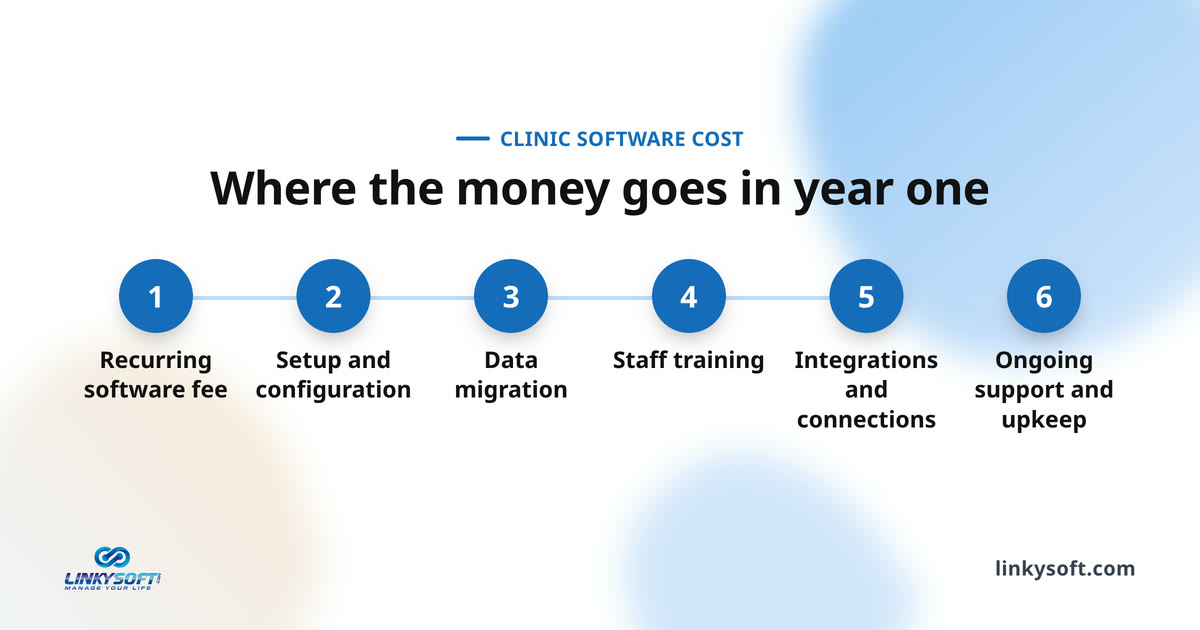
Ask every vendor for a single figure instead: what you will have paid by the end of month twelve, assuming your headcount and your migration. Some vendors position deliberately on the opposite model. They charge nothing for setup, training, migration, the patient portal or the connections that let other software talk to theirs, and they run month to month with no cancellation penalty. That shape exists in the market, so it is fair to ask for it.
Setup and configuration
Somebody has to enter your services, your doctors, your working hours, your rooms, your invoice layout and your tax rules before the software resembles your clinic rather than a demo. A vendor who does that for you charges for it. A vendor who hands you a manual charges less and moves the work onto your reception desk, which is still a cost, just not one that appears on an invoice.
Ask plainly which of the two you are buying. Both are legitimate choices, but a clinic with no spare admin capacity should not end up with the second one by accident because it looked cheaper on the quote.
Getting your old records in
Migration is priced by how messy the source is, not by how many records it holds. A clean export from a previous system is quick work. Handwritten cards and scanned PDFs are not, because someone has to interpret them before anything can be loaded.
Ask what happens to the records the import cannot read. Are they dropped silently, flagged for a human to review, or attached to the patient as scanned files? The answer tells you how the vendor thinks. Preparing your own lists first is the reliable way to shrink this charge, and we cover that groundwork separately on the Linkysoft blog.
Training, and why it can grow after you sign
Some vendors train once for a flat fee. Others bill per session or per staff member, which means your training bill scales with headcount and, worse, with turnover. A clinic with a revolving front desk pays that charge again every time somebody leaves.
So ask a very specific question: what will it cost to train a receptionist you hire next spring? Recorded sessions plus a written manual cost less and work better for people who join later, because they can watch it on their second day rather than waiting for the next scheduled call. Check the material exists in the language your team actually reads.
Three ways a vendor can charge you, and what each one is really pricing
Nearly every quote you receive will use one of three models, and they are not variations of the same idea. A flat fee puts a price on the clinic itself, per user pricing puts a price on your payroll, and a share of collections puts a price on the money you take in, so each one grows with a different part of your business. That is why the cheapest model on day one is often not the cheapest one in year three.
None of the three is a trick, and vendors are not hiding anything by offering them. The mistake buyers make is choosing the model that grows fastest along the exact axis their clinic is about to grow on, then being surprised at the first renewal.
A flat fee for the whole clinic
One price, everybody logs in, and the bill does not move when you hire. It is the easiest model to budget for and by far the easiest to compare between vendors, which matters more than it sounds when you have three quotes on the desk.
The catch is that flat plans are capped somewhere, usually on users, monthly appointments or locations. Find the cap before you sign, because crossing it moves you to the next tier and that jump is rarely small. For a stable clinic with no plans to double in size, this is the model we would point you at first.
A fee for every person who logs in
The bill is your headcount multiplied by a rate, so it starts small for a solo practice and grows with every person you add. That is transparent, and for a small clinic it is often genuinely the cheapest option, because you pay for four logins rather than for a plan sized to a clinic twice yours.
It is also the easiest model to forecast, provided you know two things: what the rate does when you cross into a bigger band of users, and who the contract counts as a user in the first place. The second one decides more of your bill than the rate does, and it gets its own section below.
A share of what you collect
Here the vendor takes a percentage of what the clinic actually collects from patients and insurers, usually alongside a service that chases the billing and the claims for you. It feels safe, because a quiet month costs you less, and for a new clinic with unpredictable revenue that really is an advantage.
It stops being an advantage the moment your collections climb, because the fee grows with them while the vendor's workload does not. Hybrid versions exist too, with a base fee per clinician plus a percentage for the billing service. Work out where the crossover sits for your own revenue before you agree to it.
Why per user pricing gets more expensive every time you hire
Per user pricing is the model owners misjudge most often, because the day one number looks small and the growth is invisible until the renewal notice arrives. A clinic with two doctors that takes on a third has not usually added half again to its patient load, but it has added half again to a per doctor software bill on the day the contract is signed.
The same arithmetic applies to seats nobody thinks of as users: a second receptionist on the evening shift, a doctor brought in to cover the summer holidays, a physiotherapist who works Tuesdays and Fridays. Ask whether part time and temporary staff can share a seat, and whether removing a seat mid term actually lowers the bill or simply frees a slot you have already paid for until renewal. If you expect to grow, price the clinic you will be running in two years and ask for that number in writing.
Who the contract counts as a user
Read the definition in the contract, not the phrasing on the website. A user can mean a named login, a concurrent session, or a clinician with a treating relationship, and those three produce very different bills for the same clinic. In some contracts every account is billable, including the receptionist and the bookkeeper, while in others only clinicians are charged and the admin logins come free.
That single definition can change your bill by a large factor for exactly the same team, and it is almost never printed on the pricing page. Concurrent licensing suits shift work particularly well, because two receptionists who are never in the building at the same time can share one licence. Ask for the wording in writing, and if the vendor will not put it into the contract, treat the refusal itself as the answer.
What happens when you open the second branch
Some systems treat a second branch as a completely separate account, with its own subscription, which roughly doubles the bill. Others treat it as another location inside the account you already pay for, which adds far less. The difference is built into how the software was made, not into the price list, which is why a salesperson usually cannot take it off the bill for you later.
If a second site is anywhere in your plans, even loosely, ask about it during the first quote. We have worked with clinics that asked this question only after they had signed the lease on the second branch, and by then the answer was expensive.
What changes when the clinic is one room, one floor or three branches
The honest answer to what you should pay depends on which of three clinics you are, and the difference between them is not only scale. A solo practitioner is buying a calendar, a patient record and an invoice. Once there are a dozen of you, the thing you are actually paying for is coordination between people who keep missing each other. A group with several branches needs something different again: one report across all of them, and control over sites the owner cannot walk into every day.
Each of those consumes a different amount of the vendor's time, and vendor time is what the one time charges are really made of. Survey based figures from the Spanish market show the four to nineteen staff band spending more heavily in the higher bracket than the smallest clinics do, which matches what we see: the mid size clinic is where costs jump most sharply against expectations. Buying the multi branch feature set for a single room practice remains the most common way to overpay.
One doctor and a receptionist
You need appointments, patient records, invoices and reminders. You do not need claims handling, multi branch stock control or a role hierarchy with five levels in it. The right buy is a ready made plan on a short commitment, because your requirements will change more in the next year than a twenty person clinic's will.
Do the migration yourself if your history is small, and go live with your active patients only. That is the fastest way to keep year one modest, and you can always load the archive later once the clinic has settled into the system.
A clinic of four to twenty people
This is where the bill stops being predictable, because you start needing the things that are priced separately: roles and permissions, stock for consumables, lab or imaging connections, and reporting that tells the owner what the day actually produced.
It is also the size where staff resistance costs real money, because a system half the team ignores still bills in full every month. Budget for a proper training round rather than a demo, and name someone internally who owns the system and decides how things are recorded. Around 80 percent of clinics in the Spanish data began digitising with a small or zero implementation charge, so a heavy setup quote at this size deserves a specific justification.
Several branches under one owner
The cost driver stops being features and becomes consolidation: one patient file visible in every branch, one report across all of them, and permissions that stop a branch manager reading another branch's numbers. That is a different kind of software problem and it is priced as one.
Expect a named implementation project rather than a self signup, and expect the vendor to want a discovery call before quoting. That is a good sign rather than a stalling tactic. Ask specifically how the price behaves at branch four, because vendors who price each branch linearly get expensive at scale and the shape is easier to negotiate before branch two than after it.
The costs that never appear on any quote
Almost every article on this question prices the software and stops there. The clinics we work with at Linkysoft are caught out by three other categories far more often than by the licence itself: equipment and connectivity, their own team's hours during the switch, and the charges billed per action rather than per month.
None of those three is the vendor's fault or the vendor's responsibility, which is precisely why nobody warns you about them. Put them on the same sheet as the subscription anyway. A cheap system running on a clinic network that drops out twice a day is not a cheap system, it is a queue at reception with a discount attached.
Equipment, and the internet you actually have
A cloud system is only as reliable as the line into the building, so a second connection or a mobile fallback belongs in the real budget for any clinic that cannot simply stop seeing patients for an afternoon. That is an ongoing cost nobody quoted you.
Reception screens, a receipt or label printer, card readers, a scanner for the old files and tablets for the consultation rooms all tend to get bought in the same month as the software. None of it is dramatic on its own, and all of it lands at once, so it belongs on the sheet beside the subscription rather than in a surprise the month after go live.
The hours your team spends switching
For a few weeks somebody is entering data twice, checking that yesterday's appointments arrived intact, and answering the same question from four colleagues. That is payroll spent on the project, and it never appears on any quote because it never leaves your own account.
A front desk learning a new system also tends to move more slowly for the first few days, and because that cost never reaches an invoice it is the easiest one to leave out of the budget entirely. You can shrink it by going live at your quietest point in the year rather than your busiest, and by training people before go live instead of during it. Two thirds of clinics in the Spanish survey were fully operational in under a month.
Charges that are billed per action
Appointment reminders by SMS or messaging apps are billed per message by the telecom provider, so this line scales with your appointment volume and with how many reminders you send per booking. Two reminders per appointment is twice the bill for the same clinic.
Taking card or online payments carries a processing charge on every transaction, and that belongs to the payment provider rather than the software vendor, so nobody in the sales conversation mentions it. Storage for imaging and scanned reports can be metered too, which matters for dental and radiology practices in particular. Ask what happens the month you pass the included quota.
What does it cost you to leave?
The cheapest moment to find out what leaving costs is before you arrive, and almost nobody asks then. Three things make an exit expensive: a contract term you cannot break, a data export that is charged for or delivered in a form nobody can read, and the weeks you spend running two systems in parallel while you move.
Long commitments are normal in this market, and French market sources document a three year minimum as the common shape. A long term is not automatically a bad deal, but it should buy you something concrete: a lower rate, a price fixed for the duration, or setup included. If the answer to how you get your data out is vague, that vagueness is the finding, and it should change your ranking of the vendors rather than being filed as a detail to sort out later.
The contract term and what breaks it
Find the notice period, the renewal date, and whether the agreement renews automatically if nobody sends a letter. Automatic renewal with a short notice window is how clinics end up paying for a second year of a system they had already decided to leave.
Ask what happens if the vendor raises the price mid term and whether that gives you a right to walk. A month to month option almost always costs more per month than an annual commitment, and for a first system in a clinic that has never used one, paying that difference is usually money well spent.
Getting your records out
A usable export means every patient, every appointment, every invoice and every attached file, in a format another system can read, delivered without a fee and without a delay measured in weeks. Anything less is a lock, whatever the contract calls it.
Test it during the trial if the vendor offers one. Ask for a full export on day three of a pilot and look carefully at what actually arrives, because that single request tells you more about the relationship than any reference call will, and it costs you nothing but the asking.
How do you compare two quotes that are not comparable?
Two quotes for the same clinic will arrive in different shapes. One is recurring with setup included, one is recurring plus three separate one time charges, one is priced per doctor and one per clinic. You cannot compare them as written, so rewrite them yourself onto one sheet using identical assumptions: your headcount today, your headcount in two years, your migration, your integrations, and a three year window.
Three years is the right window because it outlasts the first discount, includes at least one renewal, and covers a typical minimum term. French three year comparisons show the same clinic paying wildly different totals across vendor tiers, with the gap driven by modules and maintenance rather than by the headline licence, and German five year figures put a mainstream or specialised system at several times the total of a basic one. A fair quote names what is included, what is extra, what triggers the next tier and what renewal looks like. A bad quote is one number with the word "from" in front of it.
Build the comparison sheet
One row per cost: recurring software, setup, migration, training, each integration, each per action charge, and the annual increase if there is one. One column per vendor, three columns for years one to three, and a total at the bottom of each.
It takes about an hour, and it is the highest value hour in the whole purchase, because it is the only point at which the differences between vendors become visible as differences rather than as impressions. Send every vendor the same one page brief and ask them to price that rather than their standard plan.
Ask the questions that move the total
Take these into the call and write the answers straight onto the sheet:
- What is in the base plan, and what is charged separately?
- Who counts as a user?
- What triggers the next tier?
- What does year two cost, and can you fix that in writing?
- What is the notice period?
- What does it cost to export everything and leave?
Bring every answer back to the sheet rather than to your memory of the call. A vendor who answers all of those quickly and in writing has done this many times before, and that is worth something on its own once implementation starts and the questions get harder.
When the vendor is in another country
International quotes arrive in the seller's own currency and often exclude local tax, so ask what the invoice will actually say, and whether the amount is fixed for the term or moves with the exchange rate. Those are two different risks and only one of them is negotiable.
Ask where support sits and during which hours, because a clinic that opens before the vendor's office does has quietly bought itself a support gap on every morning of the year. Ask where the data is stored and whether that satisfies the rules you work under, since the compliance answer sometimes eliminates a vendor that won on price.
Questions people ask
These are the cost questions clinics put to us most often, answered directly. Each one stands alone, so a reader who scrolled straight here still leaves with something usable.
Look at what they have in common: almost every one is about a charge that arrives after signing rather than the one printed on the pricing page. That is where the surprises live, and it is why the answers below name the thing to get in writing rather than an amount, which is exactly how we answer them on the phone.
How long does setup take, and does a longer setup cost more?
A single location clinic on a cloud system is commonly running within two to four weeks, and four to eight weeks when a real migration and full training are included. Larger groups run six to twelve weeks, and a complex multi branch project can stretch to three or six months. Longer usually does cost more, because most of that time is somebody's paid work. The exception is delay caused by your own side not supplying data, which costs you in benefit deferred rather than on the invoice.
Do receptionists and assistants count as paid users?
Ask for the definition as it appears in the contract rather than in the brochure, and ask which form it takes: a named login, a concurrent session, or a clinician with a treating relationship. Then ask separately whether two part time staff can share a single seat, because in a clinic with shift work that one answer can remove a whole line from the bill.
What is normally in the base plan and what is charged separately?
Appointments, patient records and basic invoicing are almost always included. Lab and device connections, claims handling, a patient app or portal, messaging credit and advanced reporting are the items most often priced apart, either as a one time build or as a monthly add on. Ask each vendor for the list of what is not included rather than the list of what is. It is a shorter list and a far more revealing one.
How quickly does a clinic usually see the system pay for itself?
In a survey of Spanish clinics, a large majority reported recovering their investment within a year and a substantial share of those within six months. Treat that as indicative rather than a promise, because it reflects one market and the source does not state a sample size. The recovery comes from fewer missed appointments, less time on the phone and invoices that stop being forgotten, so it arrives fastest in clinics with high appointment volume.
Can we start small and add modules later without paying twice?
Usually yes, and a modular system is the safer buy for a clinic that is still unsure of its own requirements. Confirm two things before you commit. First, that adding a module in a year costs the same as buying it today rather than carrying an upgrade premium. Second, that switching one on does not trigger a fresh implementation project with its own fee attached.
Is a long commitment ever worth it?
Yes, when it buys something concrete: a lower rate held for the whole term, setup included, or a price you can budget for without surprises at renewal. It is not worth it when it protects only the vendor. If the discount for signing three years is small, pay the difference for the freedom to leave, especially if this is the first system your clinic has ever used.
What to do before you sign anything
Write your one page brief first: staff who need logins today and in two years, number of branches, appointments per month, specialty, what has to connect, how much history moves, and your target go live date. Send that same page to three vendors and ask each for a three year total against it, with the one time charges listed separately rather than folded in.
Then work in that order and give it a deadline. Send the brief to all three on the same day and allow a week, because a vendor who cannot answer one page in a week will not be quicker once you are a customer. If only two reply, that is still a comparison, and the silence has told you something worth knowing. Put the answers on one sheet, add your own lines for equipment, connectivity and staff hours, and ask the exit questions before you rank anyone.
The brief that gets you honest quotes
Keep it to one page and keep it factual. Headcount, branches, appointment volume, specialty, integrations, migration source, target date. Leave out the descriptions of how busy or how ambitious you are, because a vendor cannot price those, and a brief full of them gets a rate card back.
Then add the two or three things that would make you cancel outright: a missing language, a tax rule your invoices must follow, a device that has to connect. A vendor who prices that page rather than emailing back a standard tier is the one worth continuing with, and you will have learned that in a week rather than in month four.
Where we fit
Linkysoft builds and runs Docmz, our hospital and clinic management system, and we quote against a brief like the one above rather than against a list price, because the brief is what determines the work. You can see the rest of what we build on our products page.
A ready made plan and a system built specifically for your clinic spread their cost very differently over three years, so decide which of the two you are pricing before you fill the sheet in. When you want your own brief priced for your own market, send it to us through the contact page and we will price the work rather than the plan.
Keywords: clinic management system costclinic software pricingmedical practice management software costhow much does clinic software costclinic system pricing modelsper provider pricing clinic softwareclinic software implementation costclinic management system quotecost of clinic software for a small practice