
How Modern Data Systems Help Businesses
Discover how updating your company data systems improves decision speed, protects files, and cuts operational costs.
1 minute read
How companies plan, build and actually adopt management and ERP systems: what to automate first, which numbers are worth watching, and when a custom build beats an off-the-shelf licence.
Discover how updating your company data systems improves decision speed, protects files, and cuts operational costs.
Upgrading outdated business databases into modern cloud systems helps companies make faster decisions, protect customer records, and use artificial intelligence effectively.
Upgrading legacy business databases into modern cloud systems prevents costly system crashes, improves decision-making speed, and secures sensitive records.
An architectural roadmap for technical leaders transitioning from legacy relational databases to open lakehouses, real-time streaming, and vector-enabled data platforms.
A dashboard crowded with vanity metrics hides the truth. These are the numbers that drive real decisions.
Repetitive approvals, data entry and reports drain your team. Here is a practical path to automating them without chaos.
Ready-made software is fast to start but bends your process; custom fits perfectly but takes investment. Here is how to choose.
Understand what ERP software really does, the signs you have outgrown spreadsheets, and how a custom system pays for itself.
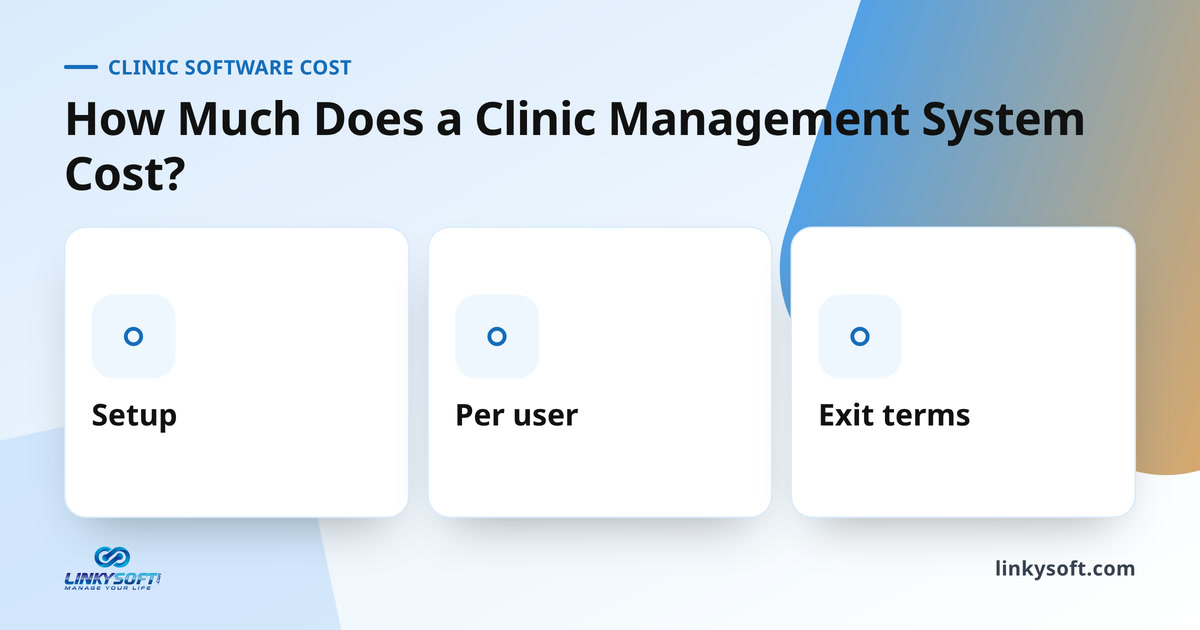
There is no single answer, and any vendor who gives you one before asking about your clinic is guessing. Five things set the number: how many people log in, how much history has to move, what the system must connect to, who runs the servers, and how long you commit for. Here is how each one moves the total, which charges land between signing and go live, what the three charging models are really pricing, and how to put two very different quotes onto one comparable sheet.
You already have a shop, stock, and regular customers, giving your online store a massive head start. This guide covers the planning steps that save you from changing platforms later. You need one shared stock count, a small launch catalog, click-and-collect before shipping, written policies, and a daily packing routine before you choose your software. We also provide a realistic timeline in weeks.
Quick, clear answers to what readers ask most about this topic.
A business management system is software that brings a company's daily work, such as sales, stock, finance and staff, into one place. Instead of separate spreadsheets and notebooks, everyone works from the same records. Managers then see the real state of the business without collecting reports by hand.
ERP stands for Enterprise Resource Planning, a system that connects sales, purchasing, stock, accounting and people in one shared database. When a sale is recorded, the stock and the accounts update at the same time. That shared data is what separates an ERP system from a collection of separate tools.
ERP software runs the inside of the company, such as stock, purchasing, finance and payroll, while CRM software manages leads and customers from first contact to repeat order. Many companies use both and connect them. Some management systems include CRM features inside the ERP so sales and operations share one customer record.
A small business needs a management system once spreadsheets, paper and memory start causing missed orders, stock errors or late invoices. Small companies often gain the most because a few people carry many jobs. A focused system covering only the painful areas is usually enough at the start.
The first process to automate is the one that is repeated most often and causes the most errors or delays, such as order entry, invoicing or stock counts. Automating a frequent, rule-based task gives visible results quickly. Those early results also build trust in the system among the staff.
A company has outgrown spreadsheets when several versions of the same file exist, numbers disagree between departments and month-end closing takes days. Other signs are lost edits, no record of who changed what and reports that need manual copying. At that point a shared database prevents errors that spreadsheets cannot.
Custom management software is better when a business has workflows that ready-made systems cannot follow without awkward workarounds. Off-the-shelf systems suit standard processes and can start quickly. The right choice depends on how unusual the processes are and how much the company expects to grow and change.
A custom ERP makes more sense when licensed software forces staff to change proven ways of working, needs many paid add-ons or cannot connect to the tools the company already uses. A custom build also gives full ownership of the system and its data. For standard processes with few special rules, a licensed product is often enough.
Implementing an ERP system can take from a few weeks for a focused system to many months for a large platform with many departments. The timeline depends on the number of modules, the amount of data to move and how ready the staff are. Rolling out in stages usually shortens the time to the first real results.
ERP implementations most often fail because of unclear goals, poor data, weak training and staff who were never involved in the choice. Technology is rarely the main cause. Clear requirements, clean data and early involvement of the people who will use the system prevent most of these failures.
Employees adopt a new management system when it makes their own work easier and when they help shape it from the start. Short training on real tasks, a clear switch date and support during the first weeks all help. Removing the old spreadsheets after the switch stops people from slipping back.
A business management system should have role-based access, clear dashboards, reports, audit records of sensitive actions and secure backups, plus the modules the business needs, such as sales, stock, finance or HR. It should also connect to other tools through APIs, the bridges that let systems exchange data. Features beyond real needs only add complexity.
A business management dashboard should show the few numbers that drive decisions, such as sales, cash position, overdue invoices, stock levels and order delays. Each number should have a clear owner and a target. Too many figures on one screen hide the ones that matter.
An admin dashboard is the main screen of a management system where managers see key figures, alerts and recent activity at a glance. It usually links to detailed reports and to the records behind each number. A good admin dashboard shows what needs attention today rather than every available statistic.
A management system can work for several branches by keeping every branch in one shared database while limiting what each branch can see and change. Head office then sees stock, sales and staff across all branches in real time. Transfers between branches are recorded instead of being tracked by phone or paper.
Cloud-based management software is safe for company data when it uses encryption, role-based access, two-step login, monitoring and tested backups. Safety depends on how the system is built and run, not only on where it is hosted. Asking a provider exactly how data is protected and backed up is a reasonable step before choosing.
A management system can connect to accounting software, payment gateways, e-invoicing, email, SMS and WhatsApp through API integrations. These connections remove the need to type the same data twice. Before building, it is worth listing every outside tool the system must talk to.
Old data moves into a new management system by cleaning it first, mapping each old field to a new one, importing a test batch and checking the results with the people who know the data. Duplicate and outdated records should be removed before import. Running both systems side by side for a short time catches errors early.
Workflow automation in a business system means rules that move work forward without manual steps, such as routing an approval, sending a reminder or creating an invoice when an order ships. It cuts delays and forgotten tasks. Each automated step should still leave a record so people can see what happened.
A management system speeds up month-end closing by recording sales, purchases and stock movements as they happen, so the figures are already in place at the end of the month. Accountants then review instead of collecting and retyping data. Linkysoft's case studies include a distributor with 14 branches that cut its month-end closing from nine days to two.
A web-based management system is usually the better choice because staff open it from any browser, at the office, at home or on a phone, with nothing to install. Updates reach every user at once. Installed software can still suit sites with no reliable internet connection.
User roles and permissions in a management system decide what each person can see and change based on the job they do. A cashier, for example, may record sales but not edit prices or view payroll. Limiting access this way protects sensitive data and reduces costly mistakes.
Before asking a company to build a management system, prepare a list of the problems to solve, the processes involved, the people who will use the system and the tools it must connect to. Sample documents, reports and spreadsheets help the developers understand the real work. A clear goal makes the specification and timeline far more accurate.
A management system can grow with the business if it is built on proven technology and designed so new modules, users and branches can be added later. Planning for growth early avoids an expensive rebuild. Starting with the most important modules and adding more over time is a common approach.
Linkysoft builds custom web applications and management systems, including ERP, CRM, point of sale and inventory, HR and payroll, booking and live dashboards. The work starts with studying the business problem, then a clear specification and a firm timeline before any code is written. Linkysoft has built this kind of system since 2007.
I'll help you with anything you want to do.
Pick a topic and ask me anything about it.
There are no topics to ask about right now.
Talk to a human
Talk to a human