First, what a clinic management system actually is
A clinic management system is one shared place where the appointment book, the patient file, the money and the stock all live together, so that typing something once updates everywhere else on its own. That is the whole idea, and every benefit further down this page is a consequence of it. When the receptionist books a patient for Tuesday at ten, the doctor's list changes, the room is held, the reminder is queued, and by the time that patient walks out with a prescription the invoice already knows what happened inside the room.
Two terms turn up in every brochure you will read, so let us explain them once and then largely stop using them. The medical record is the clinical file: history, allergies, chronic conditions, current medicines and the note written at each visit. Practice management is the business side: the diary, the invoices, the receipts, the insurance claims and the reports the owner reads on a Monday morning. Plenty of suppliers sell one half well and the other half badly, which is exactly how a clinic ends up running two systems and paying a receptionist to retype names between them. Nearly every clinic needs both halves behind one login.
It is worth saying plainly what this is not, because buyers get this wrong more often than anything else. It is not a website, and a website on its own will never book anybody. It is not WhatsApp plus an Excel sheet, because neither of those knows that a slot is already taken or that a claim came back rejected. And it does not replace a good receptionist, because what it removes is the copying, not the person. If your front desk feels chaotic because it is understaffed, software will only make the chaos arrive faster.
So rather than hand you a feature list, we are going to follow one ordinary Tuesday in a clinic with four doctors and about forty booked visits, hour by hour, because that is where the value becomes visible as minutes and money instead of bullet points. Every range below is the sort of figure we see when we sit in a clinic with a stopwatch and a notebook.
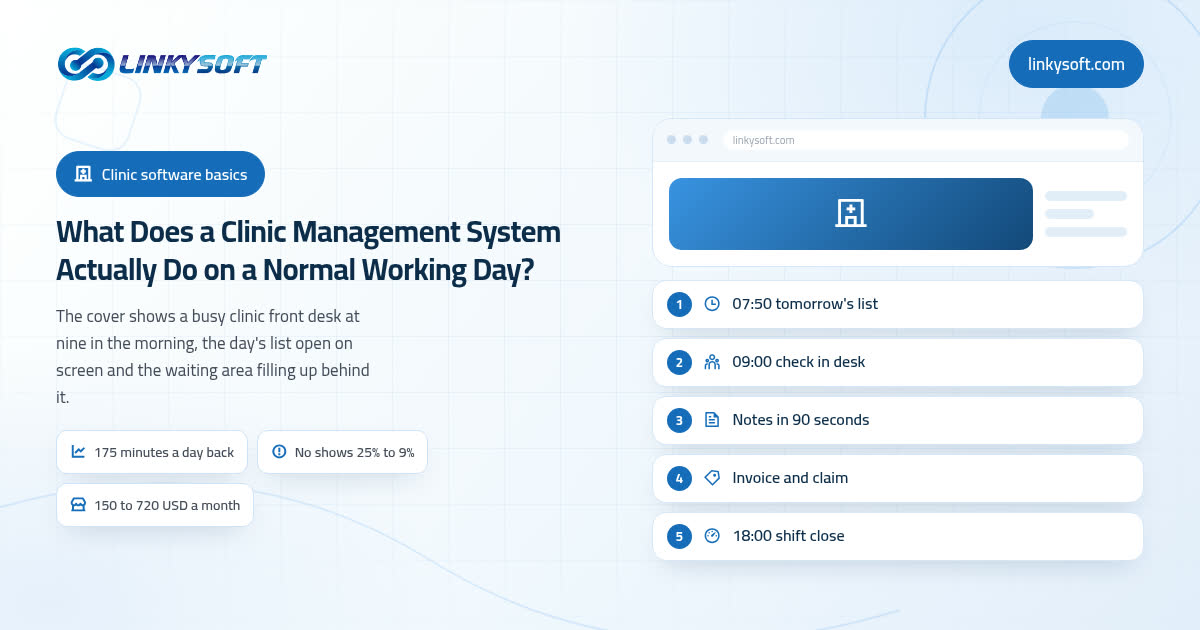
Before the doors open: tomorrow's list and the no show problem
At 07:50 the day list is already built, split by doctor and by room, and it carries small flags that tell the front desk what is coming: this one is a new patient so allow extra time, this policy expires this month, this patient left an unpaid balance in March, this one is a first visit after surgery. Nobody assembled any of that at 08:30 in a hurry, because the system put it together overnight from entries that already existed.
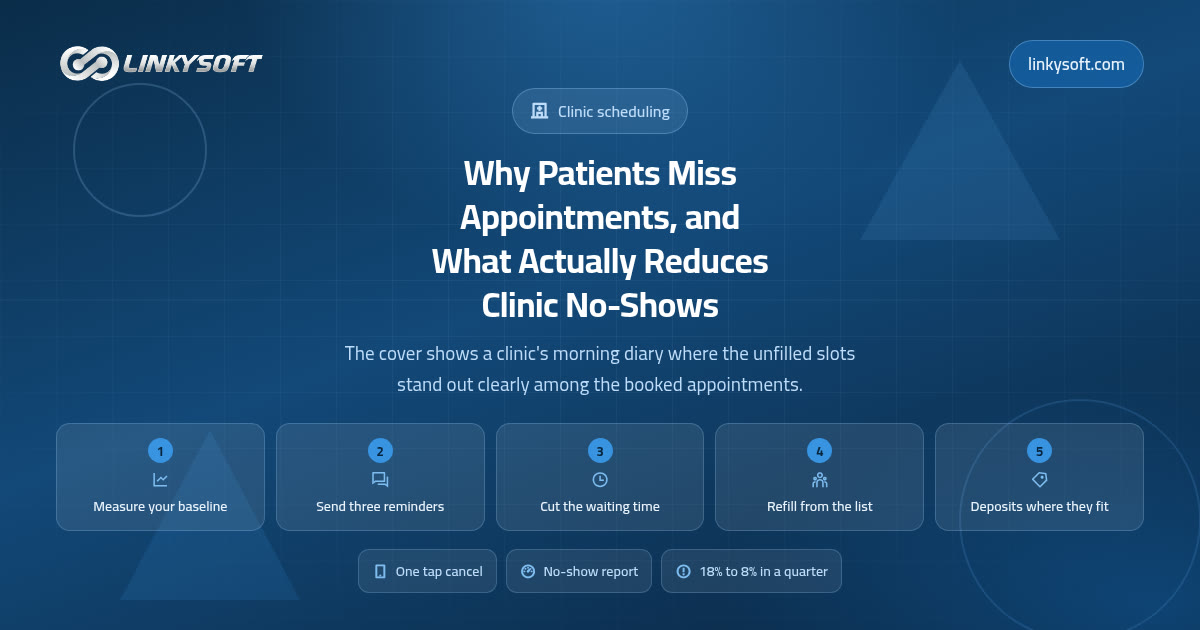
The appointment reminders went out on their own as well, one roughly 48 hours ahead and a second about three hours before the appointment. This is the easiest win in the whole system, so the arithmetic deserves to be honest: no shows typically run between 15 and 30 percent of booked visits when nobody is reminded, and settle at roughly 6 to 12 percent once two automatic reminders go out. On a list of forty visits that is about four patients a day who now turn up, which is close to ninety a month.
There is a quieter half to that number which owners tend to miss. An empty slot is not only lost income for that hour, it is also a patient who now waits another three weeks for a gap, and if she was waiting on a result or a check after an operation, those three weeks matter clinically. So a reminder is not a marketing trick; it is one of the few pieces of software that improves care and pays for itself at the same time.
The other thing to settle before the doors open is the small set of rules that stop one late patient turning into a two hour delay: how much buffer sits in each session, how late is too late to still be seen, and who is allowed to overbook and by how much. A system with a beautiful diary and no late arrival rule does not remove the chaos, it simply moves it to 11:00.
09:00 at the front desk: check in, insurance and an honest waiting time
The first patient arrives and the receptionist finds her by phone number in a couple of seconds. Compare that with the paper reality most clinics are still living in, where pulling an old file takes 4 to 12 minutes depending on how the cabinet was filed and who filed it last, and where 2 to 5 percent of files are never found at all. That second figure is the one that should worry you, because a file nobody can find means a visit that begins with no history: no allergy list, no record of what was already tried, and a doctor working from whatever the patient happens to remember.
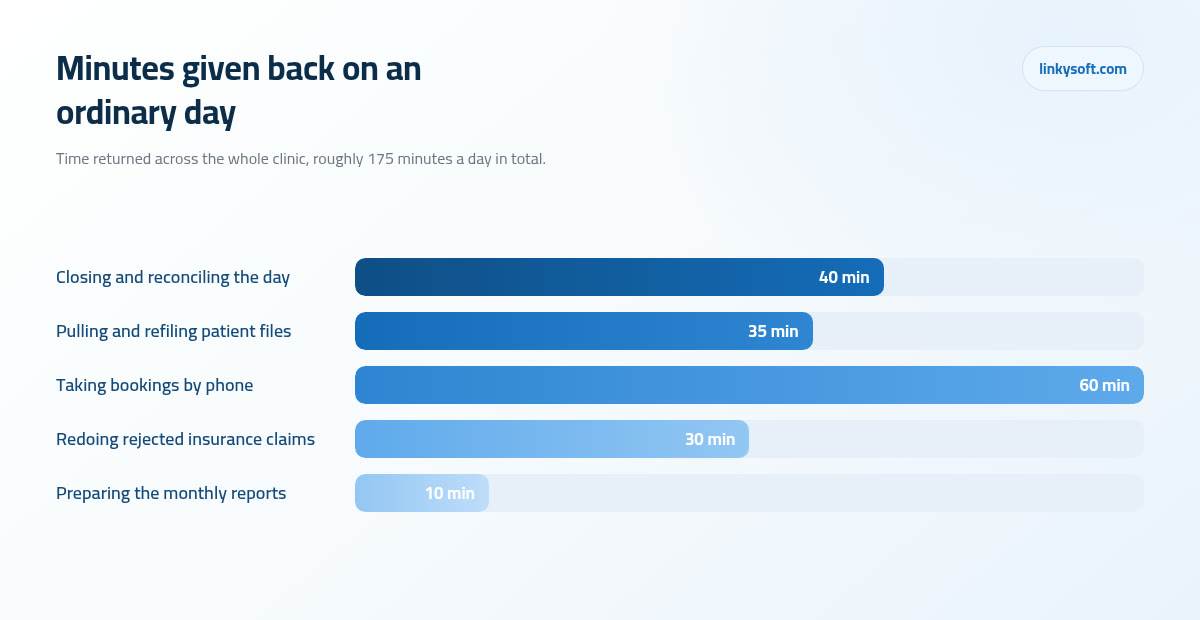
The phone matters just as much as the desk. A busy front desk in a three to five doctor clinic handles somewhere between 60 and 120 calls a day, and a booking taken on paper runs 2 to 4 minutes because somebody has to find the page, read the handwriting and check nothing clashes. The same booking takes 40 to 60 seconds when the caller is found by phone number and the slot is picked on screen, which across a hundred calls is over an hour of the receptionist's day handed back to the people standing in front of her.
The next 90 seconds are where the money is. Insurance is checked at the desk while the patient is still standing there: policy number, expiry date, the share the patient pays herself, and what the policy actually covers for the visit she has come for. Do that at check in and first pass claim rejection usually drops from the 12 to 25 percent you see when card details are retyped from memory at the end of the day to about 3 to 7 percent. One habit, enforced by a screen that will not let anybody continue with the fields empty, quietly pays for a great deal of software.
A new patient fills in her own details and her consent on a tablet, once, and nobody retypes them afterwards. That is also where duplicate records stop being created, because the system recognises the phone number and offers the file that already exists instead of opening a second one under a slightly different spelling of the same name.
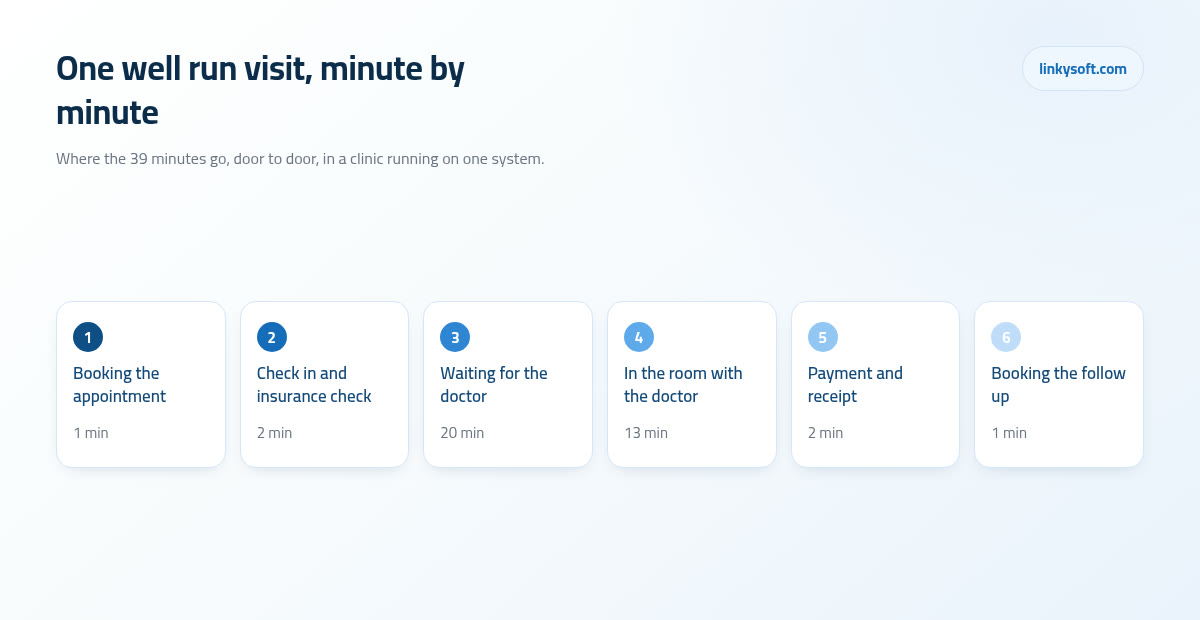
While all this happens, the waiting area screen shows each patient her position in the queue and an honest estimate, and it updates when a doctor is running late rather than pretending everything is on time. Average waits of 35 to 50 minutes in a paper queue commonly settle at 15 to 25 minutes once the queue and the doctor's real status are on a screen. The bigger point is a human one though: patients forgive a wait they were told about, and they do not forgive a wait they discovered for themselves after forty minutes of watching the door.
Inside the room: the whole history on one screen, and notes that take ninety seconds
The patient sits down and the doctor already has, on one screen and without clicking through anything, the allergies, the chronic conditions, the medicines she is currently taking, the note from the last visit, the most recent lab result, and whatever was promised at the previous appointment. That last item is small and it changes consultations, because a patient who hears "last time we agreed to recheck your iron in three months, so let us do that today" is talking to a clinic that remembers her rather than one reading her from scratch.
Writing the note is where the doctor's own day is either given back or taken away. A consultation note typed freely runs 4 to 6 minutes, while the same note written from a template with the previous visit carried forward takes 60 to 120 seconds. Across twenty five patients that is more than an hour of a working day returned, which is either three extra patients or an hour of going home on time, depending on what the doctor wants from it.
Prescriptions are printed or sent electronically, so nothing depends on handwriting at the pharmacy counter, and the system checks the new medicine against the allergy list and against everything the patient is already taking before it prints. That check is not clever, it is just a list being compared to another list, but it catches the case a tired doctor at 17:40 will occasionally miss.
Here is the warning we give every clinic before they choose anything, because we have watched it decide the outcome more than once: if the note screen takes the doctor's eyes off the patient, the doctor abandons it within two weeks, goes back to paper, and the whole project fails no matter how good the billing side is. Which is why the clinical screen has to be the shortest screen in the system, and why you should judge software by watching a real doctor write one real note on it rather than by watching a salesperson give a demo.
Orders that have to come back: lab, imaging and the result nobody chased
The test is ordered from inside the room, and it appears on the lab worklist immediately, so no paper slip crosses the corridor and nobody enters the same order a second time at another desk. That saves a few minutes, which is nice, but it is not the reason this part matters.
The reason is what happens next. The result attaches itself to the patient's file and tells the ordering doctor that it arrived, which prevents the failure every clinic owner recognises the moment you describe it: the result came back abnormal, it was printed, it sat in a tray behind the desk, the patient was never called, and the clinic found out three months later. That is the single most expensive thing that can go wrong in a small clinic, and it is nearly always an admin failure rather than a clinical one.
The safety net worth insisting on is a pending results list, meaning anything ordered and not returned inside its expected window stays visible and noisy until a human closes it. Ask any supplier to show you that screen specifically, and if they cannot, keep looking. It is also worth reading up on reading test results properly with your team, because the software will only flag what somebody has agreed is abnormal.
Referrals and transfers between branches carry the file with them rather than starting a new one, which sounds like a detail until the day the clinic opens a second location and discovers that the same patient now exists twice, once in each building, with half her history in each.
At the counter: the invoice, the claim, and the money that quietly goes missing
The invoice is built from what actually happened in the room, not from what somebody remembers at the counter, so a procedure is never billed twice and, more importantly, never forgotten. Forgotten items are the most common source of silent loss in a paper clinic, because nobody complains about them: the patient does not know, the doctor assumes it was charged, and the owner sees a monthly total that looks broadly normal.
Cash, card and the insurance share split on one receipt, discounts above a threshold need a manager to approve them before the receipt prints, and receipt numbers run in an unbroken sequence that cannot be reused or skipped. That last detail is unglamorous and it is the one that ends most disputes about the till before they start.
The insurance claim goes out the same day with its codes and its supporting documents attached rather than in a batch at the end of the week. Every rejected claim costs somebody 20 to 40 minutes of rework and pushes payment out by another 30 to 60 days, so a clinic sending 300 claims a month at a 20 percent rejection rate is losing around 20 to 40 hours a month to redoing paperwork it already did once. Cut the rejection rate to 5 percent with the desk check described earlier and that alone usually covers the software.
Outstanding balances follow the patient to her next visit instead of living in a notebook, so the receptionist sees the flag when she checks in rather than the owner finding it in a reconciliation nine weeks later. Follow the arithmetic and you reach a conclusion most owners find uncomfortable: a clinic that collects 3 percent more of what it has already earned almost always beats a clinic spending the same effort chasing new patients, because the 3 percent costs nothing to acquire.
Stock, consumables and expiry dates, and when to skip all of it
Items come off the shelf as they are used, which means the count on screen is the count in the cupboard, and reorder alerts fire while there is still time to order rather than when a doctor opens the last box. The real prize is not the counting though, it is the expiry alert at around 60 days, because that is the waste nobody sees until it is already thrown away.
The numbers are consistent enough to plan with. Clinics that count consumables once a year typically discover that 5 to 12 percent of them are expired or simply unaccounted for, and that figure usually falls to 1 to 3 percent once batches and expiry dates are tracked as things are used. On a clinic spending 3,000 USD a month on consumables that is somewhere between 1,400 and 3,900 USD a year that stops going into the bin.
Now the cheaper thing said plainly, because at Linkysoft we switch this module off more often than we switch it on: a single doctor clinic with one cupboard does not need stock control at all. A monthly count on a sheet of paper is faster, cheaper and more accurate than a system nobody updates, and turning the module on will only give the receptionist a new job with no return on it. Half updated stock is worse than no stock module, because people start trusting a number that is wrong.
The line where it genuinely starts to pay is fairly clear: several treatment rooms drawing from the same store, a small pharmacy or a fridge with injections in it, or anything carrying a batch number that a regulator or an insurer might ask you to trace later. Below that line, keep the paper and spend the money on the diary and the billing instead.
18:00: closing the day in five minutes instead of an hour
At six o'clock the shift close screen shows what came in as cash, what came in by card, what the insurers owe, what patients still owe, which claims went out today and which ones are stuck waiting for a document. None of that is being calculated at six o'clock; it is simply the sum of entries that were already made as the day happened, which is the difference between reporting and reconstructing.
Compare the two evenings honestly. Closing a paper clinic across an appointment book, a receipt book and a lab book takes 30 to 60 minutes of somebody tired cross checking three sets of handwriting, while a shift close screen that already holds every entry takes 3 to 5 minutes. The difference is not only the forty odd minutes, it is that a missing receipt or a mismatch is caught tonight while the person who took the payment is still in the building, rather than next month when nobody remembers.
Cash handover between shifts becomes a recorded moment with a name and a time attached to it, and both people see the same figure on the same screen when it happens. That removes an argument no clinic owner enjoys having, and it protects honest staff far more than it catches dishonest ones, which is the part worth saying out loud when you introduce it to the team.
The month behind the day: six numbers worth reading every week
Everything above produces data whether anybody looks at it or not, so the last piece of the job is deciding what to actually read. Six numbers cover almost every decision a clinic owner has to make:
- Visits per doctor, which tells you whether the diary is being filled evenly or whether one doctor is carrying the clinic.
- Average revenue per visit, which catches undercharging long before the monthly total does.
- No show percentage, which should be under 10 percent once reminders are running properly.
- Claim rejection percentage, ideally under 7 percent on first submission.
- Money outstanding, split into 30, 60 and 90 days, because the shape matters more than the total.
- New patients against returning patients, which is the cheapest early warning you have.
Reading them is a separate skill from collecting them, so here are the two readings that come up most. A rejection rate above 10 percent is almost never a difficult insurer, it is a data problem at the front desk, and the fix is a fifteen minute conversation about which fields must be filled at check in. A falling ratio of returning patients is almost always a waiting time problem or a phone that goes unanswered, not a price problem, whatever the discount you are tempted to offer.
One warning about reports in general. The dashboard with twenty charts behind a login gets opened enthusiastically for two weeks and then never again, while three numbers arriving by message at nine on a Monday morning get read every single week for years. When we build reporting at Linkysoft, that is the argument we have with clients most often, and the short simple version wins nearly every time. You can see how that plays out in real projects on our case studies page.
Who can see what, and the day a staff member leaves
Roles in plain terms: reception sees the diary and the money but not the clinical notes, a nurse sees the notes for the patients in her own rooms, each doctor sees his own patients in full, and the owner sees the totals without needing to read anybody's consultation. In most countries this is a legal expectation rather than a preference, and it is also the arrangement that makes staff comfortable, because nobody wants to be suspected of reading something they never opened.
Every file opening is logged with a name and a time, which is exactly what settles the awkward question that comes up sooner or later in every clinic: who looked at the neighbour's record, or the local celebrity's, or the ex husband's. With a log you answer it in one minute. Without one you have an argument with no facts in it.
Leaving day should be one click that switches the account off, which only works if nobody shares a password. Shared logins are the single most common weakness we find in clinics that grew quickly, usually because a temporary arrangement in year one was never undone, and it makes every audit log in the building meaningless.
Then there are backups, and the only ones that count are the ones that have been tested. A safe arrangement is a daily copy kept off site, about 30 days of history so that a problem noticed late can still be undone, and a restore actually rehearsed twice a year rather than assumed to work. A clinic that has never restored a backup does not really have a backup, it has a comforting habit, and the difference only becomes visible on the worst possible day. If you want the fuller version of that argument, our security and backup work covers what a small clinic realistically needs.
What it costs, when the smaller option wins, and how a rollout really goes
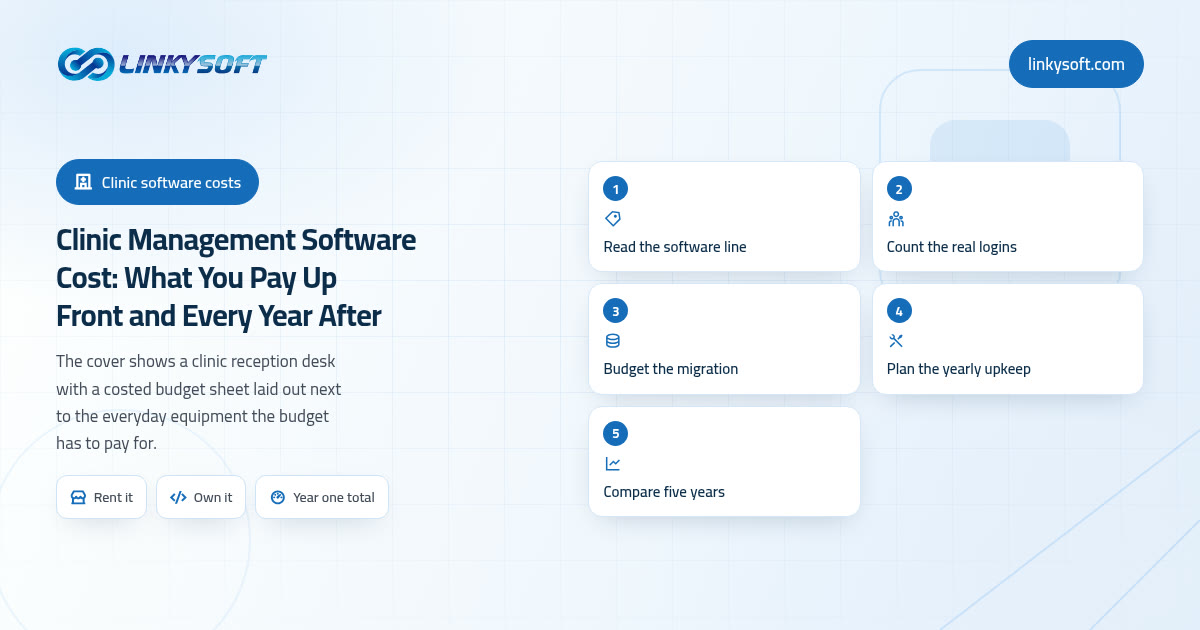
Ready made clinic software generally runs about 25 to 120 USD per user per month, so a six seat clinic lands somewhere between 150 and 720 USD a month and can be genuinely working within 2 to 6 weeks. That range is wide because the top end usually includes insurance handling, a proper lab link and support that answers the phone, and the bottom end usually does not.
A custom build only makes sense further up. For a group with several branches, its own laboratory or an unusual insurance mix that no product handles, a build typically costs 15,000 to 60,000 USD across 10 to 20 weeks, plus roughly 15 to 20 percent of that every year for hosting, support and the changes you will inevitably want. So the advice is blunt: one or two doctors should buy the ready made product and stop thinking about it, then revisit the decision at three branches, or at the first workflow that no product on the market supports.
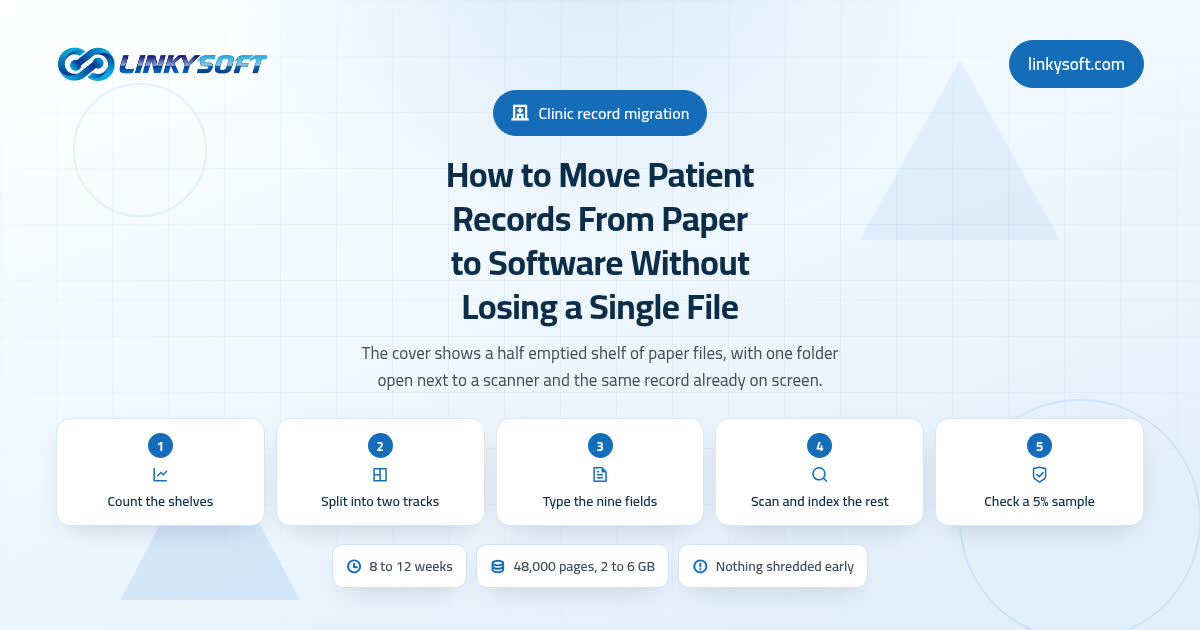
Migration is the part everybody underestimates. Moving 5,000 to 50,000 patient records out of paper or spreadsheets takes 1 to 3 weeks of cleaning before anything is loaded, and expect 8 to 15 percent of them to be duplicates, because the same person exists under three spellings of her name and two phone numbers. That cleaning is not optional; loading dirty data means every report you build afterwards is quietly wrong.
Training runs 3 to 6 hours for each receptionist, because she uses the widest part of the system, and 60 to 90 minutes for each doctor, because the clinical screen should be small enough to learn in that time. There is also an honest dip nobody advertises: expect 2 to 3 weeks where the clinic feels 10 to 15 percent slower before it moves past the old pace. Plan for it, go live on a quiet day rather than a Monday, and keep the paper running in parallel for the first week so that nobody is ever stuck.
Two things decide whether this works, and neither of them is the software. The first is one person inside the clinic who owns the decisions, because a project with four opinions and no owner stalls at exactly the point where somebody has to say how late is too late. The second is a supplier who still answers the phone in month seven, when the demo is long forgotten and you have a real question about a claim. That is the standard we hold ourselves to at Linkysoft, so if you want a straight opinion on whether your clinic should buy something ready made or build, tell us your numbers through our contact page, and if it turns out you genuinely need something built around your own workflow, that is what our web application development work is for. Either way you should leave the conversation knowing which of the two you need, and that includes us telling you to buy the cheap product and keep your money.