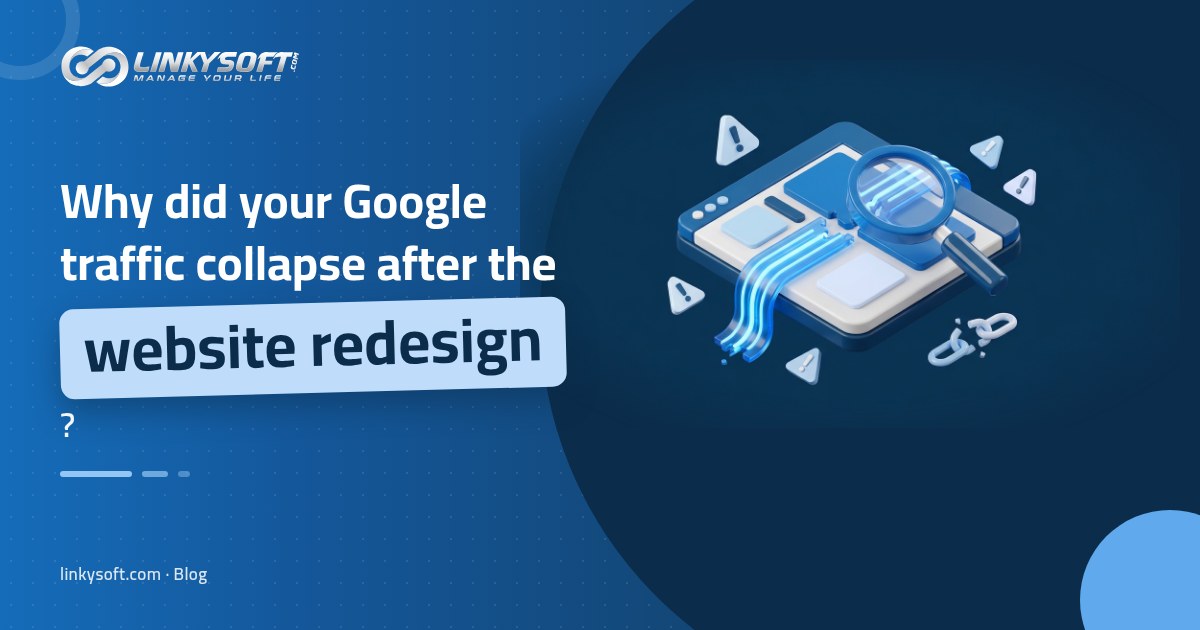
When Google traffic crashes after a website redesign, something specific almost always broke, and it is rarely bad luck or the new look. In our web design and development work at Linkysoft, we see the same few causes again and again: old page addresses left without a permanent (301) redirect, a "do not index" setting left over from the test site, text cut to make pages look cleaner, and a heavier site that loads slowly on phones. Agencies often say a badly handled launch can lose 40 to 80% of search traffic within weeks.
Google has to revisit every page that changed, so a small drop that levels off in the first few weeks is expected, and many call it normal. A huge drop within days, a growing list of errors in Google Search Console, or a fall still getting worse after two weeks is not normal, and any one of them means something is broken.
Before anyone blames the design, check whether the analytics tag is on the new site and whether Google has been told not to index it. Each takes only minutes to check, and either one can wipe out your traffic overnight, so rule them out first.
Did your traffic really fall, or did your tracking break?
Many of these drops never happened. The analytics tag, the small piece of code that counts visitors for Google Analytics or similar tools, often gets left behind in a rebuild, or a new cookie banner blocks it until a visitor clicks 'accept', so the chart falls to almost nothing while real people keep visiting.
Rule this out in Google Search Console, the free Google report on how your site performs in search, whose clicks come straight from Google rather than from a tag on your site. Compare the four weeks after launch with the four weeks before in its Performance report, with clicks and impressions both ticked. If both held steady while analytics shows a cliff, you have a counting problem, not a ranking problem, and the fix is putting the tag on every page.
A normal dip and a real drop look different by week two
People often say a dip is normal after launch, and that is partly true. Google has to crawl each changed page again, which means visiting it, reading it and deciding anew where it belongs in search results, so some movement in the first weeks is expected. The trouble starts when that excuse covers real damage for months.
The 40 to 80% losses that agencies describe after a bad launch are stories, not official studies, but they show that a real drop is huge and plain to see on a chart by week two.
What a normal settling period looks like
After a good launch, rankings wobble for a few days. A page in third place might slip to seventh, bounce back to fourth and stay there, and the small dip is spread thinly across many pages rather than hitting a few.
The sources we checked recommend watching your numbers every day for at least the first two weeks, so that is the point to judge. By then the line should have stopped falling and started to level off. If you see this, be patient and keep up the daily checks rather than rebuilding everything in a panic.
Signs that something is broken
Three signs separate a broken site from normal settling, and each is described below with the step to take next. Even one on its own deserves a closer look, while two together almost always point to a specific fault that you can find and fix.
The comparison below puts the two pictures side by side. Hold your own Performance chart next to it, and if most rows match the right-hand column, stop waiting and start checking, because each week you wait costs visitors a fix could have kept.
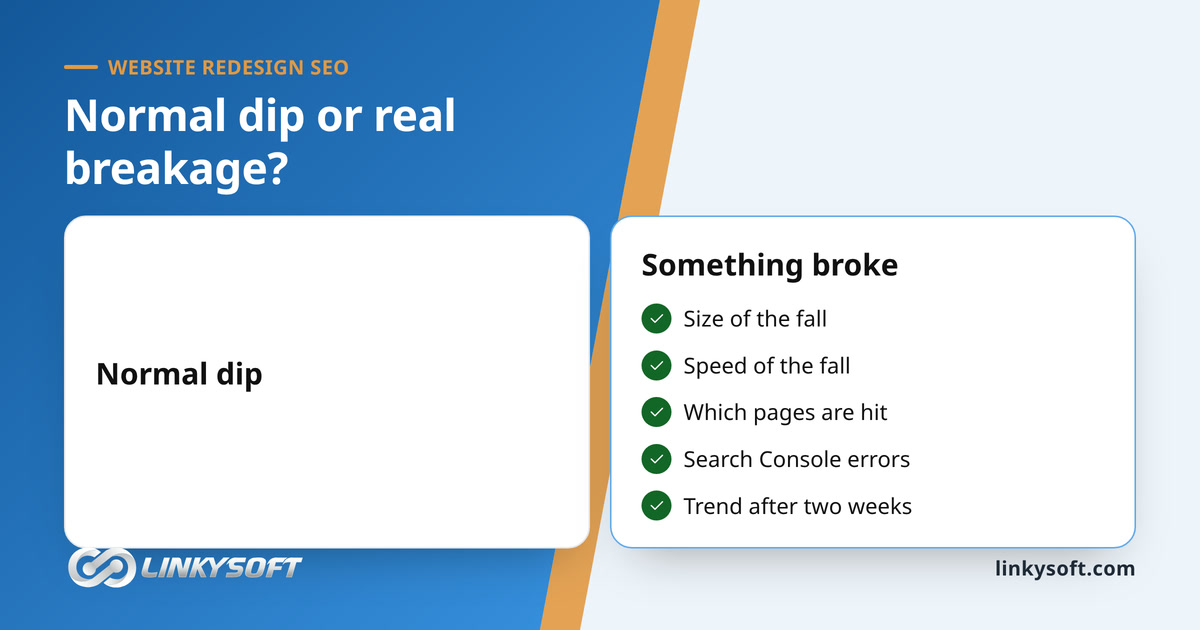
The drop is steep and happens in days
You check the Performance report and see your clicks drop sharply within days of launch. Instead of flattening out, the line keeps falling, because a normal dip bends gently while a broken site plunges. That speed means Google found a big problem on its first visit, such as a blocked page, missing pages or empty text, rather than a slow change in how it rates your quality.
For a shop or clinic, this is the week the phone goes quiet. Go straight to the checks for blocks and broken redirects further down, because those are the faults that act this fast.
The drop hits only one section or page type
Sometimes the fall hits one area only: all the product pages, the whole blog, or every page in one language, while the rest of the site is fine. That points to one page layout or one group of addresses, which is good news, because one fix usually repairs the whole group.
To see it, open Performance, click the Pages tab and sort by the change in clicks. If the top of the list is all one kind of page, such as /products/ or /fr/, you have found the group to fix first.
Errors in Search Console keep going up
Look at the Pages report. Do the numbers for "Not found (404)" (the page is gone), "Soft 404" (the page loads but is empty or says not found), "Excluded by 'noindex' tag" or "Blocked by robots.txt" (both mean Google was told to stay away, which we explain below) go up every week? A few errors after launch are normal.
Write the count down every Monday. A falling number means fixes are landing, but a number still climbing in week three means someone must work through the list, starting with the addresses that had the most clicks before launch.
The whole site vanished from Google in days
This is the biggest fault and the fastest to fix. While developers build on a test address, they tell search engines to stay away so unfinished pages stay hidden, and if that setting is still on at launch, Google obeys it. Removing it takes minutes, but every day it stays on more pages drop out, and they return more slowly than they left.
The block is either a noindex tag, a short code telling Google to hide a page, or a robots.txt file, a small file telling search engines where they may not go. Because teams usually copy the finished test site to the live address in one go, the block travels with everything else. In WordPress it is one checkbox under Settings, then Reading, called "Discourage search engines from indexing this site".
To check, search Google for site:yourdomain.com with your own address, and if few pages or none appear, you probably have a block. Then paste your homepage into URL Inspection in Search Console, whose indexing section says plainly whether a noindex tag or robots.txt is stopping Google.
Old links go to an error page or the homepage
This is the problem behind many slow-motion traffic drops. A bookmark or an old directory listing now lands on "page not found". Every old address that ranked or had links from other sites needs a 301 redirect, a permanent forward to its matching new address, or the standing that page built up is thrown away.
The US agency Sixth City Marketing says over 95% of websites have some kind of redirect problem, though it has not published its study. Done right, a redirect works, because Google confirms that permanent 301 redirects keep PageRank, the authority a page earns from links.
Why sending everything to the homepage fails
Some teams forward every old link to the homepage because the errors vanish. When Google sees many different pages landing on the homepage, though, it decides those pages are gone and treats them almost like a 404. Picture a shop that moves and leaves a sign on every old door saying "Visit our main branch": a customer looking for one item simply gives up.
Point each old page to its closest new match, and if a page truly has none, let it show a clear "gone" error. Also confirm in writing that your developer used 301s, not 302s, because a 302 tells Google the move is temporary and the old page's value is not passed on, and a free online redirect checker shows which one you have.
Pages are still in Google, just lower down
Not every drop is a cliff. Sometimes pages stay in Google but slide from the first page of results to the second, a little more each week, because the redesign changed the words on the pages and how they link together. Filter the Performance report to one page that lost traffic and compare the search terms it ranked for before and after launch.
Our advice is plain: if a shortened page lost rank, put the detailed text back. If the design needs a clean look, move the text lower or into sections that click open, but do not delete it.
Short pages, new titles and thinner menus
Designers cut long text because short pages look cleaner, yet that text often answered the reader's question and earned the rank. A page with too little useful text is like a menu listing only dish names, which a customer with a food allergy cannot use. The sources we checked suggest at least 300 words of useful text per page.
New layouts can also turn every page title, the blue headline in Google results, into just your company name. Fix titles at one or two keywords per page and five to ten pages a week, so 40 important pages take four to eight weeks. Then check internal links, the links between your own pages: a page that moved from one click to four clicks from the homepage looks less important to Google, so add those links back.
What Google sees when your site is built with JavaScript
Some modern websites build their content inside the visitor's browser: the server sends an almost empty page plus a small JavaScript program that fills in the text and images. A person sees the full page in a second, but Google's first visit may find a blank page and only see your content days later.
When the server sends the finished page, the HTML, with the text already in it, Google reads your content on its first visit, so this is the first thing to confirm with whoever built your site. It matters because this fault looks like a broken redirect, and a team can lose a week checking redirects that are fine.
The sign that points to a code problem
In the Pages report, many important pages show as "Crawled, currently not indexed", meaning Google visited but chose not to save them. To test it yourself, search Google for an exact sentence from a page that is a few weeks old, inside quote marks, and if nothing appears, Google probably never saw it.
Then ask your developer whether the main text is in the HTML the server sends or only appears after scripts run, and by what date your key pages can load from the server first. When it is done, ask to see the URL Inspection result for one fixed page.
Slower on a phone means lower in search results
A redesign usually makes a site heavier with animations, big photos, new code and video. Google measures the effect with Core Web Vitals: how fast the main text appears, how fast the page reacts to a tap, and whether the screen jumps while loading. The targets are the main text in under 2.5 seconds, a near-instant response to a tap and no unexpected shifts.
Many visitors expect a page to load in two seconds or less. The Core Web Vitals report in Search Console uses weeks of real visitor data, so for a fast test right after a fix, run PageSpeed Insights on its mobile setting.
The usual weight a redesign adds
The usual culprits are easy to list:
- video backgrounds and massive images at the top of the homepage
- photos uploaded straight from a phone or camera without shrinking the file
- sliders that load five huge photos to show one at a time
- heavy animation code, too many custom fonts and chat boxes that load on every page
Hosting matters too, because a basic server that ran a light old site can struggle once pages get heavy. We host the sites we build on Hostrena, and the server is the first thing we check when a new site feels slow.
Your star ratings and business details vanished from results
Structured data is hidden code that tells Google what a page contains, such as frequently asked questions, opening hours or a product with a star rating. Visitors never see it, but Google uses it to show stars and business details in results. Old systems and plugins often added it automatically without anyone knowing, so a new site loses it unless someone puts it back on purpose.
Few people check for it after a launch, and it is very easy to miss, because your main search ranking might stay exactly the same.
How to spot it and put it back
The clue is in the Performance report: average position holds while clicks fall, because a result without stars looks plain next to the results around it. Empty Products or Review snippets reports under Enhancements in Search Console confirm it, and Google's Rich Results Test on a new page settles it.
List the code types the old site used, such as Organization on the homepage, LocalBusiness on the contact page, or Product and Review on store pages, and ask your developer to build the same into the new layouts. Mark up only what visitors can read on screen, because Google ignores or even penalizes code describing hidden reviews or questions.
Only one language vanished
On a site with several languages, a redesign can break one language while the rest work. The usual cause is hreflang, a hidden tag that tells Google which language or country version to show a searcher, and when it breaks, Google may show your English page to Arabic readers or drop the translation altogether.
To confirm it, filter the Performance report by your language folder, like /ar/ or /fr/, and compare four weeks before and after launch. If one folder fell while the rest held, URL Inspection on a few of its pages shows which page Google chose as the main version, the "canonical". If that is your English page, the Arabic one becomes invisible.
Three things to check for each language
At Linkysoft we build and run multilingual sites, and almost every language problem we fix comes down to one of the three checks below, each short enough to copy and send to your developer. Translated words in web addresses often get switched back to English during a rebuild, which is why the first check matters most.
Test the language that matters most to your sales first. For a Gulf clinic that is often Arabic, and for a European shop it may be French or German, so fixing that one language brings back the most customers per hour of work.
Every translated page needs its own redirect
Redirect plans often cover only the main language. Ask your team to prove that every old address in every language forwards to its exact match in the same language, so the old French product page goes to the new French product page, not the English page or the French homepage.
If your old French addresses used French words and the new ones use English words, each one needs its own line in the redirect map. Ask for that map as a spreadsheet you can open and check, then test a few yourself by typing in old addresses.
Language tags must point to live pages
Ask your developer to confirm that every language tag on the new site points to a new, working address, not an old one that redirects or shows an error. Google ignores tags that lead to broken or forwarded pages, so a tag pointing to the old site is as useless as no tag at all.
The quickest proof is to open three translated pages, ask your developer for the language tags on each, and paste each address into your browser. Every one should open directly, with no forward and no error.
Do the languages point back to each other?
Language tags only work in pairs. If the English page points to the Arabic version, the Arabic page must point back to the English one, and each page must also point to itself. A one-sided setup can look finished in the code and still do nothing, and a developer can check the whole site in an afternoon with a scanning tool that reads every page.
Think of two shops putting a sign in each other's window. If only one shop has the sign, Google assumes it is a mistake and ignores it.
The correct order to check things, starting today
Start with the fast checks that do the most damage if missed: tracking first, then search engine blocks, broken links and redirects, how the code loads, and finally text, titles, page speed and structured data. Do the checks that can wipe out your whole site in the first 48 hours, then check your performance every day for at least the first two weeks, as the sources we checked recommend.
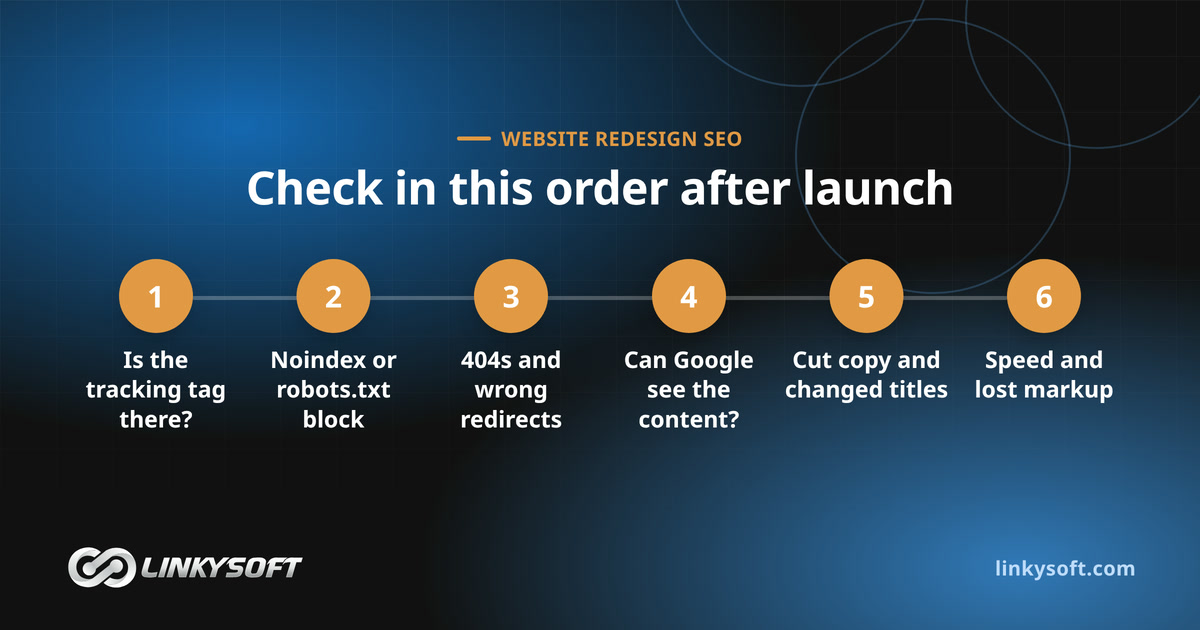
A mistake caught on day two costs a few days of visitors, while one caught in month three has cost three months of visitors, so log each fix with its date and you will know which one worked. A practical schedule looks like this:
- First 48 hours: confirm the tracking tag loads on every layout, no page carries a noindex tag and robots.txt blocks nothing important, then type in your top 20 old addresses and submit your new sitemap, the list of pages you want search engines to read, in Search Console and Bing Webmaster Tools.
- Days three to fourteen: open the Pages report every morning and fix new "Not found (404)" and "Soft 404" entries the same day, because each is an old address Google just found broken.
- After two weeks: move to the slower faults, such as deleted text, changed titles, lost internal links, page speed and missing structured data, and check the Pages report weekly.
How long until the traffic comes back?
Recovery starts when you fix the problem, not on launch day, and then depends on how often Google reads your pages. Popular pages like your homepage are revisited often and bounce back first, sometimes in days, while deep pages Google rarely visits come back last.
Spanish-language sources put large-site recovery at about 2 to 6 months, and Arabic SEO blogs say rankings need 60 to 90 days to settle. They are not studies, but they agree that lost rank takes months to win back, which is why a fault must be fixed in days, since a broken redirect never fixes itself.
To shorten the wait, resubmit your sitemap, use URL Inspection to request indexing for your most valuable pages, since Google limits daily requests, and leave your redirects in place for good, because old links from other sites and emails keep pointing at your old addresses for years.
Who pays to fix it: you or your agency?
Start with your quote or contract. If it mentions a redirect plan, SEO migration or search continuity, the fix is the agency's job, but if it says nothing about search traffic, most agencies will call the repair extra work and you will have to negotiate. What the repair costs depends on:
- how many pages broke
- how long the problem lasted before anyone noticed
- whether you also changed platform, since leaving a builder like Wix changes every link at once
- how many languages your site uses
Before you argue about money, ask the agency four questions: which redirects they set up, which test-site blocks they turned off at launch, how the server loads the pages, and which structured data they copied over. The answers usually make it clear who is at fault.
Which faults are the builder's and which are yours
Missing or broken redirects, a leftover noindex tag or robots.txt block, pages that look empty to Google and lost structured data are build errors, because no owner asks to hide their new site. Ask for each fix in writing with a deadline and a Search Console screenshot once done.
Be honest about your own choices too. Approving shorter pages because they looked cleaner, deleting pages you thought nobody read or changing your domain at the same time were business decisions. A fair deal is often that the agency fixes its code for free and you pay separately to restore the text you asked them to cut.
What to add to your next project brief
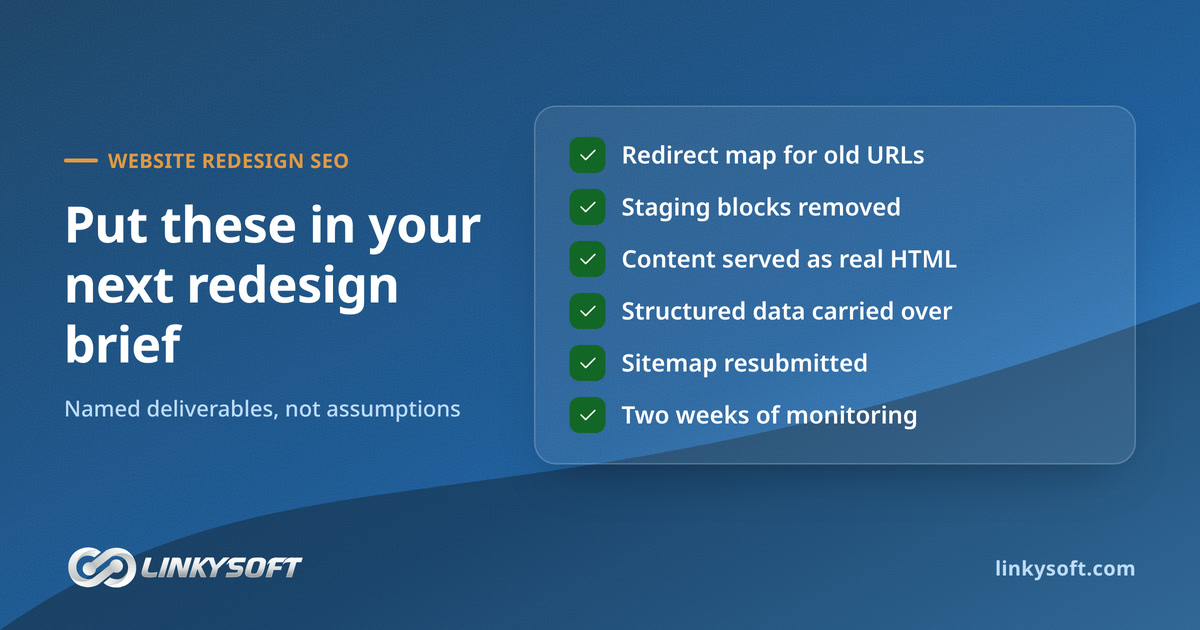
Next time, write search traffic safety into the contract as a checklist rather than assuming it: a redirect map for every old link, a launch-day check that test blocks are gone, pages built as real HTML, structured data carried over, a new sitemap and two weeks of Search Console checks after launch. An item written down gets priced, built and tested.
Compare agency quotes against that list. A cheaper quote that skips these steps is not a better deal, because it hands all the risk, and the repair bill, to you.
Questions people ask
These are the questions owners ask most when a new site loses traffic, and our glossary explains any Search Console term in plain English.
Do I need a 301 redirect for every old link, or just the important ones?
Every old address that had visitors, sales or links from other sites needs a 301 to its closest new match, which is usually more pages than owners expect. Only a truly dead page with no visits, links or match should show a "gone" error. If you are unsure, add the redirect, because an extra one does no harm.
Will a new site always hurt my search rank, even if we do everything right?
No. Expect rankings to wobble for a few weeks while Google rereads changed pages, but not a lasting drop. One US agency reported a 48% traffic increase for a home builder after a redesign guided by search data, a single firm's success story that still shows what careful planning can do.
Should I just keep the exact same web addresses to avoid the risk?
If your old addresses are clean and readable, yes, because keeping them removes the biggest risk of a redesign. Change them only if the structure truly needs it, such as links full of codes and numbers, and then plan every redirect before launch, never after.
What is the first thing to check if traffic drops right after launch?
Check that the tracking tag is on the new site by comparing analytics with Search Console clicks. If the drop is real, open the Pages report and look for "Excluded by 'noindex' tag" or "Blocked by robots.txt". Those two checks take minutes and catch the fastest, most damaging faults.
What to do before the end of this week
You do not need to fix everything today, but you do need to start in the right place:
- Today: Compare Search Console clicks with your analytics chart to confirm the drop is real, then run URL Inspection on your homepage and your top five old pages.
- Within two days: Send your agency the four questions from the "Who pays" section above, and ask for a full list of the redirects they built.
- This week: Fix noindex tags, 404 errors and redirect problems first, resubmit your sitemap and log every fix with its date.
A precise message gets the right fault fixed the same day. "Clicks on our product pages fell sharply on launch day, and the Pages report shows dozens of new soft 404s, screenshots attached" works, while "our SEO is down" earns a vague reply and a week of guessing.
If you are fixing it alone, the 48-hour checks need only a browser and Search Console. If your agency has gone quiet, Linkysoft can find the fault and fix it: our web design and development team handles redirects, server code and structured data, and our digital marketing team watches the recovery. Contact us for a quote.
Keywords: website redesigntraffic drop after website redesignlost Google rankings after redesignwebsite redesign SEO301 redirects after redesignGoogle Search Console after launchnoindex after website launchweb design and development