There is a version of a website project that goes wrong while everybody involved behaves perfectly well. The design is good, the developer is competent, the owner is keen, and yet the site that was meant to launch in October is still not live in February, and nobody can point at the week it went sideways. We have seen that pattern often enough for it to be boring, and the useful thing about a boring pattern is that you can prepare for it. Most checklists on this subject are really a list of the things an agency will eventually ask you for, which is honest enough as far as it goes, but they never say what a missing item actually costs you. This one puts a price in working days on each one, shows the arithmetic behind a ten week project that quietly becomes five months, and says plainly when the smaller, cheaper version of the site is the right one to build.
Why Website Projects Stall, and It Is Almost Never the Code
Think about a small business site of eight or ten pages. The work inside it, meaning the planning, the design, the build, the page assembly and the testing, comes to somewhere around 6 to 8 weeks of effort, and that figure is fairly steady from project to project because the underlying tasks do not change much from one business to the next. Yet when a project of exactly that size goes wrong, the calendar reads 4 or 5 months. The difference between those two numbers is not extra work that appeared out of nowhere. It is waiting, and waiting is the thing nobody budgets for.
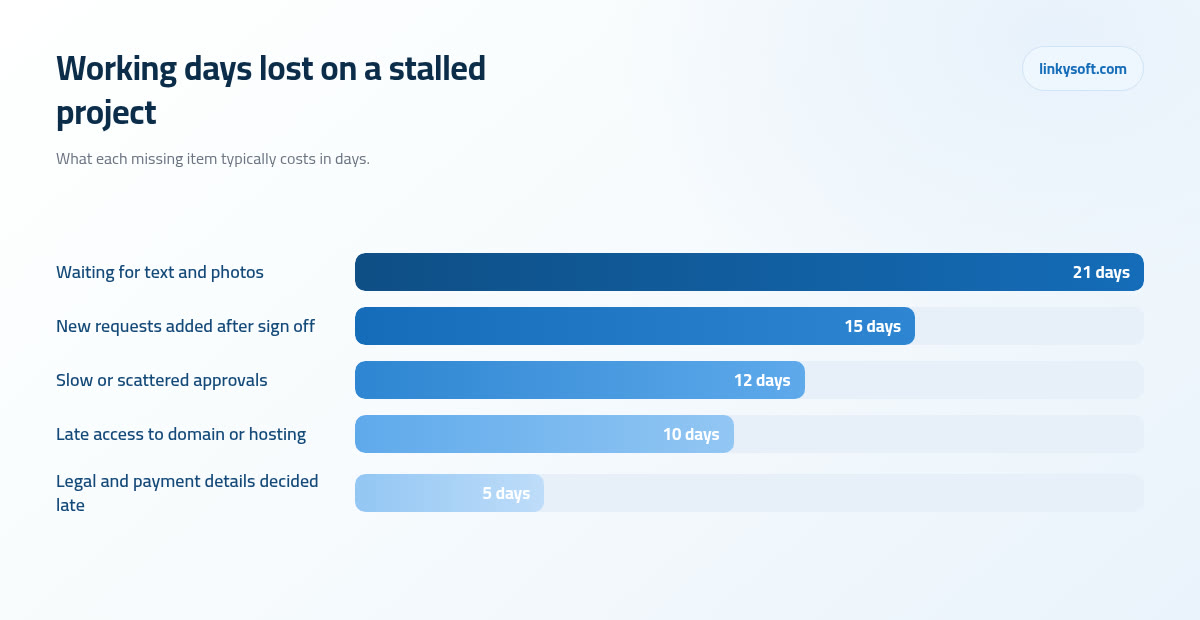
Almost all of that waiting comes down to four causes, and they repeat with a regularity that is almost funny once you have watched it a few times:
- Text and photographs that never arrive. The design is approved, the pages are built, and they sit there holding filler text for weeks because the words are somebody's third priority behind running the actual business.
- Feedback from too many people, too slowly. Four reviewers with equal authority produce four opinions and no decision, so the design waits while everyone waits politely for everyone else.
- Missing access to the domain or the hosting. Everything is ready and nobody can find the login for the account the site actually lives in.
- New requests added after the design was agreed. Each one is small on its own, and together they rewrite the schedule without anyone deciding to.
Notice that not one of those is a technical failure, which is the encouraging part, because every one of them can be settled before the first day of the project rather than discovered in the middle of it. The rest of this article walks through them one at a time, with the days each one costs, so you can arrive at a kickoff meeting already holding the answers instead of promising to send them later. That is how we prefer to work at Linkysoft, because our job is not to start a project, it is to get it finished and live where it can earn its keep.
Decide What the Site Is For Before Anyone Draws a Page
Before anyone opens a design tool, name the one job the site has to do. Not five jobs ranked in order of preference, one job: the phone ringing, an appointment booked, a quote request landing in the inbox, or an order paid for online. Then name one number that would tell you it worked, such as fifteen booked appointments a month or twenty five quote requests a quarter. It sounds almost too simple to be worth a meeting, and it is the single decision that settles the largest number of later arguments.
It matters because attention does not divide neatly. A home page that asks a visitor to do five things, book now and read the blog and follow us and download the brochure and join the mailing list, gets fewer of each than a page that asks clearly for one thing, since the visitor spends their attention deciding rather than acting. The everything site feels safe while you are choosing what to include, and it performs poorly once it is live, which is an expensive lesson to learn on your own project.
Two examples of how this works in practice. A dental clinic decides its primary job is a booked appointment, so the booking button and the phone number are visible on every screen, treatments are described in plain language, the pricing page answers the money question honestly, and the founder's biography, which the founder cares about a great deal, sits on its own page rather than at the top of the home page. A parts supplier decides its primary job is a quote request with a part number attached, so the search box is the loudest element on the site, the request form asks for the part number and the quantity before anything else, and the twenty year company history moves to the About page where it belongs.
Write the brief as one sentence you could read aloud to a stranger without them looking puzzled: this site exists so that local patients book an appointment online instead of telephoning during the lunch rush. A project without that sentence has no way of settling a disagreement in week six, because every argument about a button or a page then comes down to whose taste wins, and taste is not a decision procedure.
Name One Decision Maker and Agree How Feedback Will Arrive
Every project needs one named person who can say yes on their own. Add a second reviewer if you must, then stop, because three or four reviewers with equal weight is the most common reason a design sits untouched for a fortnight. It is not that the extra opinions are wrong, it is that none of those people has the authority to end the conversation, so the conversation does not end.
Feedback should also arrive in one place. One document or one call beats notes scattered across email, chat messages and a phone call on Thursday afternoon, because scattered notes contradict each other and somebody then spends half a day working out which instruction is the current one. When we receive a single consolidated list, a round of changes takes hours. When we receive eleven messages from three people over five days, the same changes take a week and the chance of building the wrong thing goes up with every message.
Here is the arithmetic that makes this concrete. Two rounds of review per page is normal, and it is planned into both the schedule and the price. Every unplanned extra round adds 3 to 5 working days once you count the reviewing, the changes and the re-checking. Three unplanned rounds, which is nobody's idea of a disaster and happens constantly, quietly costs two to three weeks, and it does so without a single dramatic moment anyone would remember afterwards.
So agree the response window before the work starts. Three working days suits most businesses. Write down what happens when it is missed, whether the schedule shifts by the same number of days or the current version is treated as approved, and put it in the scope document. Agreeing it in advance costs nothing and saves an awkward conversation at exactly the moment when nobody has the patience for one.
Content Is the Single Item That Stops the Clock
Content means the words and the pictures, and it holds up more projects than everything else put together. The way to get ahead of it is to count it rather than feel it, so list every page the site will have, then count the words each page needs. On a typical 12 page site you are looking at roughly 500 to 700 words a page, which is 6,000 to 9,000 words in total. That number surprises almost everyone, which is exactly why it should be written down before anyone promises to have it ready by Friday.
Now the honest time cost. A page written properly, meaning drafted, checked for accuracy and edited once, takes 2 to 4 hours. Twelve pages is therefore 3 to 5 full working days of one person's concentrated attention, and that person almost always has another job already, usually running the business the site is about. Three to five days does not sound like much until you try to find them inside a month that is already full, which is how a two week content task becomes a two month one.
Make the decision before the kickoff meeting rather than during it, because there are only three routes and each of them is respectable. You write it, which is cheapest in money and most expensive in your time. We write it, which costs more and moves fastest. Or you take the mix, where you supply the facts, the prices, the process, the guarantees and the questions customers actually ask, and we shape them into pages. In practice the mix is usually both the cheapest and the quickest, because the slow part of writing is extracting what only you know, while the part you would be paying a professional for is structure and compression. If the words are the part of this that worries you most, we have written more about preparing content for a new site elsewhere.
Photographs deserve the same planning. Real pictures of the real place, the real team and the real work earn more trust than stock images, and visitors spot the difference immediately even when they could not explain how. A single session of 3 to 4 hours normally produces 30 to 60 usable images, which covers a 6 to 10 page site with plenty left over for social posts and pages you add later. Book it early, because a photographer with a free afternoon next month is easy to find and a photographer with a free afternoon during launch week is not.
Gather the Keys and the Files You Already Own
Three words come up constantly at this point in a project, so here they are in plain language. The registrar is the company you rent your web address from, the one that bills you every year or two for the name itself. DNS is the address book of the internet, the record that says this name points at that computer, and changing it is what makes a new site appear at your existing address. Hosting is the computer the site actually lives on. They are often three different suppliers, and the logins for all three tend to live in three different heads.
Collect the following before kickoff, and test that each login genuinely works rather than assuming it does:
- The registrar login for your domain name.
- Control of the DNS records, which may sit with the registrar, with the host, or with somebody else entirely.
- The hosting login for the current site, if there is one.
- Administrator access to your business email, since email is usually tied to the same records as the site.
- Analytics, meaning whatever currently measures your visitors.
- Your business listing on maps and search.
- The social accounts the site will link to.
- Any booking, payment or stock system the site has to talk to.
The most expensive gap we meet is a domain registered years ago under a former employee's personal email, or inside an account at an agency that has since closed. Getting control back usually takes 1 to 3 weeks and sometimes needs formal paperwork with the registrar proving the business owns the name, and all of that sits in front of the launch rather than beside it, because nothing can go live at an address you cannot administer. Check this in week one, not in week nine.
Brand files matter just as much and go missing just as often. A logo needs to exist as a vector file, which simply means a version drawn from mathematical shapes rather than a grid of pixels, so it can be printed on the side of a van or shrunk into a browser tab without going fuzzy. Hunt for the original source files, the exact colour codes rather than a rough description of the colour, and the name of the company font along with whether its licence covers use on a website, because a good many fonts are licensed for print alone.
If none of it exists, say so early and treat it as a small scheduled task instead of a crisis. Redrawing a simple logo cleanly is usually a day or two of work, and settling colour codes and a font is a short conversation. A light tidy up now costs a fraction of a full brand rebuild discovered halfway through a build with the design already half finished. The practical fix for this whole category is dull and effective: create every account under a company email address that outlives any one person, something like [email protected], and keep the passwords somewhere the business itself controls. Our page on cybersecurity covers who should hold the keys and how they ought to be stored.
The Legal and Trust Pages Everyone Forgets Until Launch Week
Every site needs a small set of pages nobody is excited about: a privacy policy, terms of use, a cookie or consent notice, refund and delivery terms for anything that sells, your company registration details where the law requires them, and basic accessibility so that somebody using a screen reader or a keyboard alone can still use the site.
They cannot honestly be written the night before launch, and the reason is not the legal phrasing, it is that each one contains a decision only the business can make. What data do you collect and why. Who processes card payments on your behalf. How long do you keep records, and who inside the company can see them. What is your actual refund position, in days, rather than the one you would like to have. A lawyer or a template can word the answers, but nobody outside your business can supply them.
The sequencing that works is simple. Decide the answers in week one while the design is being drawn, have the wording checked while the build is under way, and the pages are ready when the site is. That is around five working days of somebody's attention spread across a month, as against a scramble in launch week that in our experience costs about five days on its own and delays the launch by a similar amount.
Then there are the items that are not legal requirements at all but win business anyway, so give them the same seriousness: a real street address, a telephone number a human answers, your opening hours, and named people with real photographs. Visitors check these before they buy from a company they have not heard of, and their absence reads as a reason to be careful. On a site that sells anything, the delivery and returns wording gets read far more often than the About page.
One last point worth stating plainly, because it catches somebody every year: an image found through a search engine is not free to use. Licence demands arrive after launch rather than before, once the site is indexed and easy to find, and they cost considerably more than the stock photograph would have. Use your own photographs, properly licensed stock, or nothing at all.
Split the Project Honestly Into Phase One and Phase Two
Here is the position we take, stated plainly because it usually saves people money: a 6 to 10 page site that launches in 8 to 10 weeks starts earning while a 40 page portal is still being discussed. A 40 page build attempted in one go routinely runs past six months before anything at all is publicly live, and throughout those six months the business has exactly as much online presence as it had at the start, which is to say the old site or none.
So sort every feature with a single test, the one you set up in the second section: does this serve the primary job of the site? A booking button on a clinic site serves it. A staff intranet does not, however useful the intranet may be. If a feature does not serve the primary job it belongs in phase two, and the important part is that phase two gets written down alongside phase one, because a list nobody wrote down is a list everybody later believes was forgotten. Written down it is a plan. Left unwritten it becomes a grievance.
Typical phase two work is not small, which is precisely why it should not be bolted onto a first launch. Customer logins, account dashboards and anything with a real database behind it belong in web application work, a companion app for phones is a project of its own with its own approvals and app store submissions, and automated assistants or document handling sit with AI systems. Each of those runs to a different rhythm from a brochure site, so combining them into one launch date means the slowest part sets the pace for everything else.
Phase one, by contrast, is a well understood piece of work: the pages, the design, the content structure, the forms, the search basics and the launch itself, which is what a website design and build normally covers. If you would rather see how the split played out on real projects than read about it in the abstract, our case studies show what went into a first launch and what deliberately waited.
Budget: Where the Money Goes, and What It Costs to Keep Running
You do not need to know our rates to sanity check a quote, you need to know its shape. A fixed price build divides roughly like this: planning about 10 percent, design about 25 percent, build about 35 percent, content about 15 percent, and testing and launch about 15 percent. If a quote in front of you puts 90 percent against design and build with nothing against planning or testing, that is not a cheaper project, it is the same project with two stages left out and paid for later in problems.
Content carries a real share for the same reason it stops the clock: somebody has to write it, edit it, check the prices in it and load it into the pages, and that is days of work whoever ends up doing it. Pretending that work is free is one of the most reliable ways to overrun a project, because unpaid work never gets scheduled, and unscheduled work happens last.
Hold 10 to 15 percent of the budget back as contingency. Something always changes: a supplier's booking system turns out to work differently from the way it was described, a section needs rewriting once you read it aloud, a photograph you were counting on does not exist. With a contingency in place each of those is a ten minute decision. Without one, the same event becomes a negotiation, and negotiations cost days as well as goodwill.
Then there is the money after launch, which is easier to think about as shares than as currency. The domain is the smallest line on the bill, an annual fee that barely registers. Hosting for a brochure site is a minor annual cost, more than the domain and still small next to the build. Sensible maintenance, meaning software updates, backups somebody has actually tested, monitoring and small fixes, tends to run 10 to 20 percent of the build price per year. It is worth reading a little about hosting and what it should cost before you accept the cheapest option on the table, since the cheapest hosting is usually the most expensive downtime.
The unpopular truth deserves saying out loud: a site with no maintenance budget gets rebuilt within about three years. Software ages, security holes open, the design starts to look its age, and eventually somebody decides the whole thing needs replacing. A rebuild costs the full build price all over again, whereas three years of maintenance at 15 percent comes to less than half of one build, and the site stays online and safe the entire time.
A Timeline You Can Hold, and What Each Stage Is Waiting On
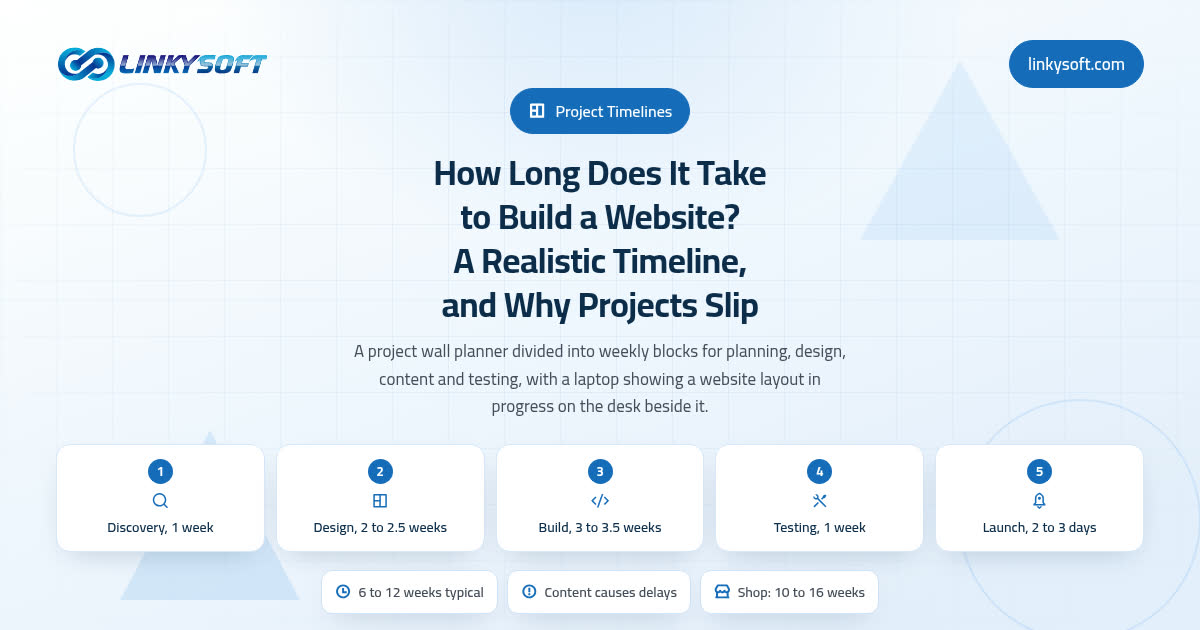
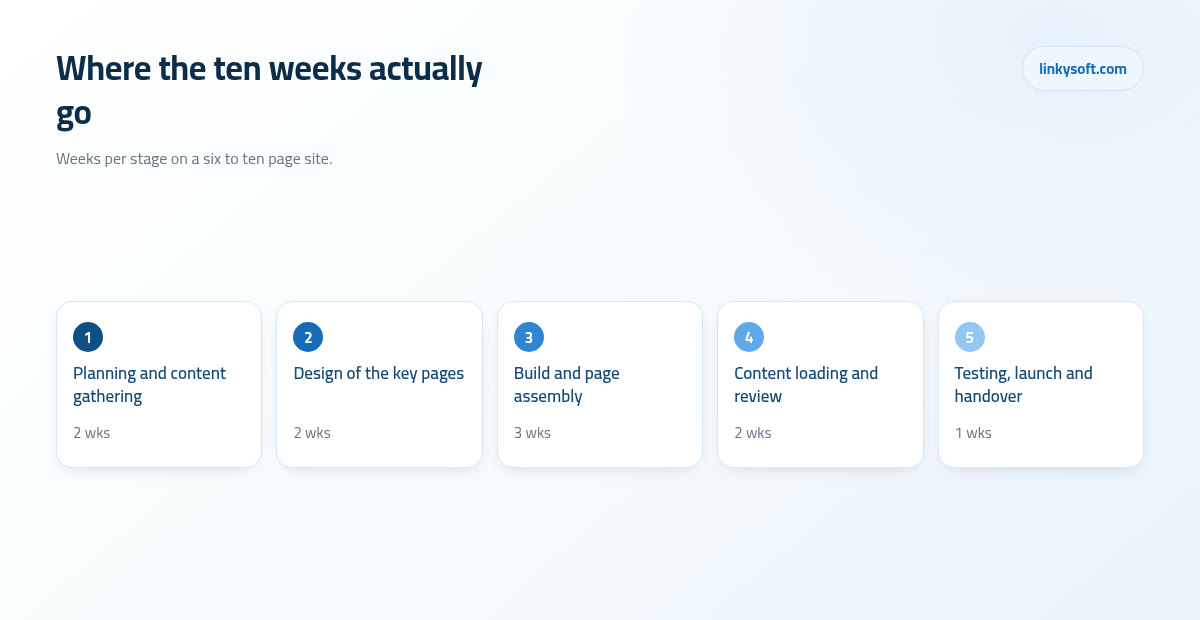
A ten week schedule for a small business site looks like the list below, with the part you are responsible for named at every stage, because a schedule only works when both sides can see what it is waiting on.
- Planning and content gathering, 2 weeks. Waiting on you for the one sentence purpose, the page list, the access details, the brand files and the content plan.
- Design of the key pages, 2 weeks. Waiting on you for consolidated feedback inside three working days and a clear sign off from the named decision maker.
- Build and page assembly, 3 weeks. Waiting on you for the final text and photographs, plus answers about anything the site must connect to, such as a booking or payment tool.
- Content loading and review, 2 weeks. Waiting on you for proofreading the real pages, confirming prices and checking the legal wording.
- Testing and launch, 1 week. Waiting on you for the domain and DNS access, a final approval, and a launch slot that is not a Friday evening.
Sign off matters more than it sounds, so here is what a design freeze actually means in plain language. After the design is approved, new ideas are not refused, they are priced and dated. If a change fits before launch without moving anything else, it goes in. If it does not, it goes into phase two with a cost and a date attached. That mechanism is what keeps a launch date real, and it protects you at least as much as it protects us, because a launch date everybody quietly knows is fiction is worse than having no date at all.
Then be honest about the adjustments. A run of public holidays adds a week. A decision maker away for ten days adds a week. An outgoing supplier who takes a fortnight to answer a simple request about a domain adds a week. None of those is anybody's fault and all of them are foreseeable, which is why the buffer belongs in the schedule at the start rather than being discovered in week seven. At Linkysoft we would far rather quote ten weeks and land on ten than quote eight and spend the last month explaining ourselves.
If You Already Have a Website, Decide What to Keep
A redesign carries one extra job that a first site does not, and skipping it is how businesses lose traffic they spent years building. Start with an export: a list of every page that currently exists, and separately, the twenty pages that get the most visits. On most small business sites those twenty pages carry roughly 70 to 80 percent of all traffic, which means twenty careful decisions protect the great majority of what you already have.
Redirects are the mechanism, and the idea is simpler than the word makes it sound. When an address changes, a redirect is a note left at the old address saying the thing you wanted now lives here, so anybody holding an old link, and every search engine that remembers the old page, gets sent to the right new page instead of a dead end. Skip it and those visitors meet an error page, while the ranking that page had built up drains away over the following weeks.
The scale is manageable as long as you prepare it. A small business redesign typically has 60 to 300 old addresses to map onto new ones. With the list in hand that is an afternoon of careful work. Without the list it is a fortnight of guesswork, reconstructing what used to exist from memory and half remembered links, and the guesswork version is never complete.
Two rules for launch day itself. Keep the old site running until the new one has passed its checks, so there is always something to go back to. And remember that a DNS change applies within minutes but can take 24 to 48 hours to be visible everywhere in the world, which is why a launch should never be scheduled for a Friday evening: if something needs attention you want a full working week in front of you rather than a weekend of unanswered messages. If protecting your existing search traffic through the move is the part that worries you, that is the ground our digital marketing work covers.
The One Page Checklist to Finish Before Kickoff
Everything above condenses into ten yes or no questions. No maybes are allowed, because a maybe here is a no wearing a disguise.
- Can you state the site's purpose in one sentence a stranger would understand?
- Is there one named decision maker, with at most one second reviewer?
- Do you have the page list, written down and agreed?
- Is there a written content plan saying who writes each page and by when?
- Is the photography booked, or are the images already in hand?
- Is the access list collected and tested: registrar, DNS, hosting, email, analytics, listings, social accounts and any tool the site must talk to?
- Do you have the brand source files, the exact colour codes and a font licence that covers a website?
- Have the legal decisions been made: data collected, payment processor, retention period, refund terms?
- Is the phase one and phase two split written down, with phase two visibly parked rather than forgotten?
- Is the scope signed, including the number of review rounds and the payment stages?
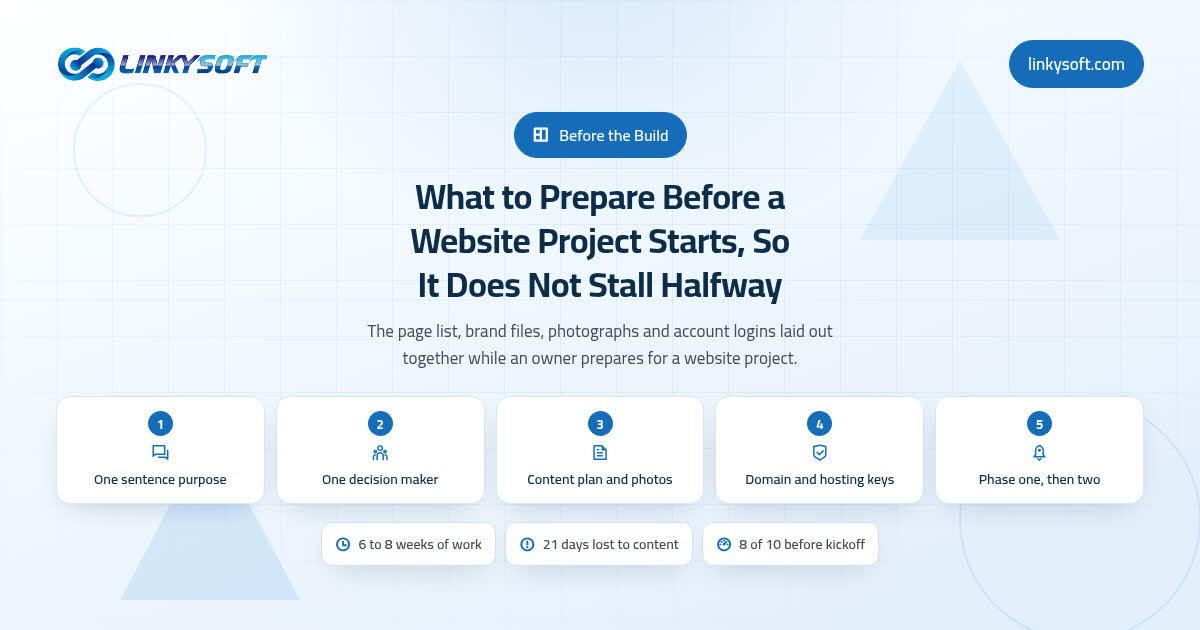
Now the readiness rule we apply in practice, which may be the most useful sentence in this article: with fewer than 8 of those 10 done, delaying the start by two weeks costs less than starting half ready. A late project is an inconvenience. A stalled project costs money in reserved time, in repeated conversations, in decisions taken twice, and in the enthusiasm that quietly drains out of everyone involved by month four. If you would like to work through the reasoning at your own pace, there is more about running a project checklist properly among our other articles.
We walk this list with clients at Linkysoft before anything is quoted, because the answers change the quote, sometimes downwards, and everybody is better off knowing that on day zero than in month three. If you would like a second pair of eyes on your own list, or you are not sure which of the ten you can honestly tick, you are welcome to get in touch and we will go through it with you. And if you never do, the list still works on its own: print it, answer the ten questions honestly, and hand the answers to whoever builds your site. They will be able to give you a real date, which was the whole point.