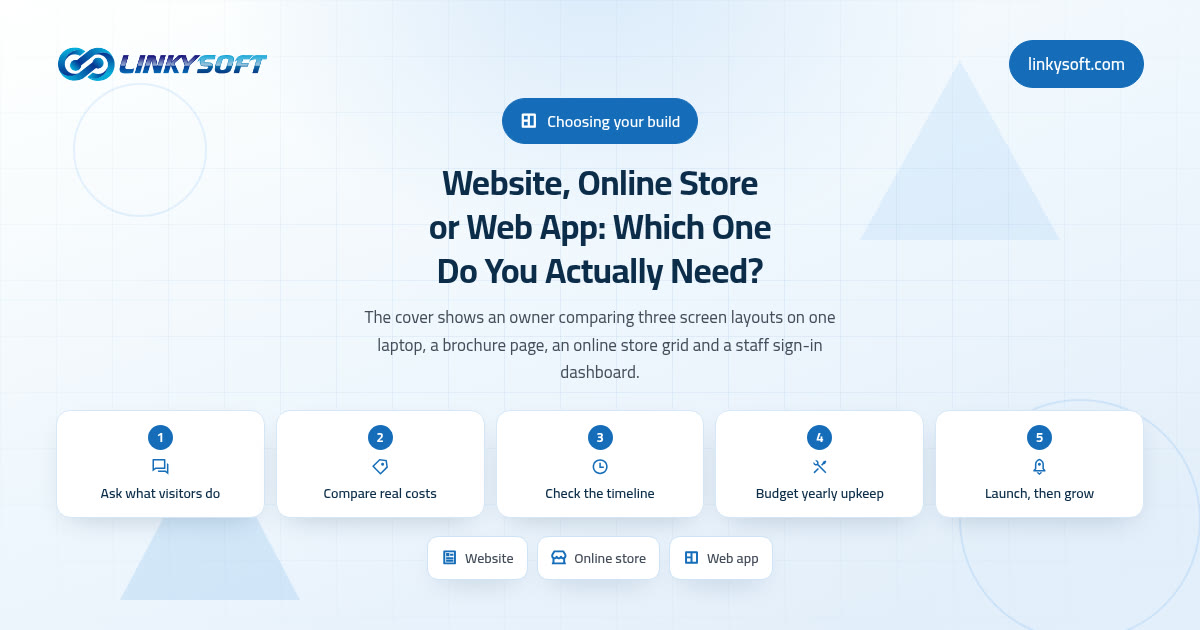
Start with what you want a visitor to do, not with what to build
Nearly every version of this question arrives the same way: should we build a website, an online store or a proper web application? It is a fair question, but it starts in the wrong place, because the thing that really decides the answer is what you want to happen in the ninety seconds after a stranger lands on your page. These three options are not three quality tiers, with a cheap one at the bottom and a serious one at the top. They are three different answers to that one question about the visitor.
Picture the three people. The first needs to work out whether you look competent and safe, and if you pass that test she picks up the phone or fills in a short form. The second already knows what she wants, likes the price, and would like to pay right now without talking to anybody. The third is not a stranger at all, because she signs in with her own account, sees only her own work, and spends twenty minutes doing a job she repeats every week. Those three people need a website, a store and a web application respectively, and almost everything about your budget follows from which of them you are actually serving.
The most expensive way to decide is to copy the competitor whose site you admire, because you inherit every one of their compromises without knowing their budget, their order volume, or how much of that machine sits unused. A company shipping four hundred orders a week genuinely needs stock counts, shipping rules and returns handling, while the same set of features on a business doing six orders a week is just a monthly bill with no work to do. So spend five minutes on your own answer instead. By the last section here you should have a decision, a number you can defend in a budget meeting, and a sensible first step.
Website, online store, web application: what each one actually is
A brochure website
This is the five to twelve page site that most businesses need and many never get right. It carries who you are, what you sell, what it costs, who has bought from you before and how to reach you, and it usually changes once or twice a month. Its whole job is to be found and then believed, which is a narrower job than it sounds and a hard one to do well. When someone offers you a CMS, or content management system, they mean a screen you sign into where you edit your own words, swap a photograph or add a page, without paying anybody or waiting three days for a two line change.
An online store
A store is a catalogue plus the machinery that takes money and keeps promises: a cart, a checkout, stock counts, shipping rules by weight or region, tax handling and a returns process. Here is the part that surprises owners, so it is worth saying early. The shop front is the easy half. The real build is everything behind it, because every order has to be picked, packed, tracked, occasionally refunded and always reconciled, and the software has to match the way your warehouse or your back room genuinely works today.
A web application
A web application is software that runs in a browser rather than sitting on someone's desk, and the difference that matters is that it knows who you are. A login is a personal account, so the system can tell one member of staff from another. A role is what each type of person is allowed to see and do, so a receptionist can book appointments while only the manager sees the revenue. A dashboard is the first screen after signing in, showing that person the handful of numbers and tasks that belong to them. Booking systems, client portals, stock tools and internal approval systems are all web applications.
A mobile app is a fourth thing, and rarely the first thing. It is a program installed from an app store, which earns its place when you need the camera, notifications, offline use or genuinely daily habit, while for everything else the browser reaches all of your customers on day one at a fraction of the cost. If you want the detail on how the first two get built, our web design and development work covers websites and stores, and web application development covers the login and roles side.
Three questions that settle it in about five minutes
Get a pen, because these three questions decide the answer for the large majority of businesses we speak to, and they take longer to read than they do to answer.
- Does money need to change hands on your own pages? Not eventually and not in theory, but this month. If the real close is a phone call, a site visit or a written quote, then a checkout is not the thing standing between you and more revenue.
- Does anybody sign in more than once a week to do repeated work, and how many people are they? Staff, contractors, agents and regular customers all count, though signing in once a year to download an invoice does not.
- Is the way you work genuinely different from everyone else in your trade? If it is not, you are probably about to pay to build something you could rent for a monthly fee, and rented software gets patched, backed up and improved by somebody else.
Now read your answers back. Three noes means a website, and you should feel relieved rather than embarrassed about that. A yes on the first question means a store, or at least a payment path, which is not always the same thing as a full store. A yes on the second question at real scale means an application, and scale is the word doing the heavy lifting there. The rule of thumb we use is this: below roughly five regular internal users and fewer than about two hundred records a week, a good website plus a well kept spreadsheet usually wins on cost, while past fifteen to twenty users, or a few hundred records a week, the manual handling quietly costs more than the software would.
What each one costs to build, and why honest quotes vary so much
These are the ranges we quote in practice, and they are wide because the work genuinely is.
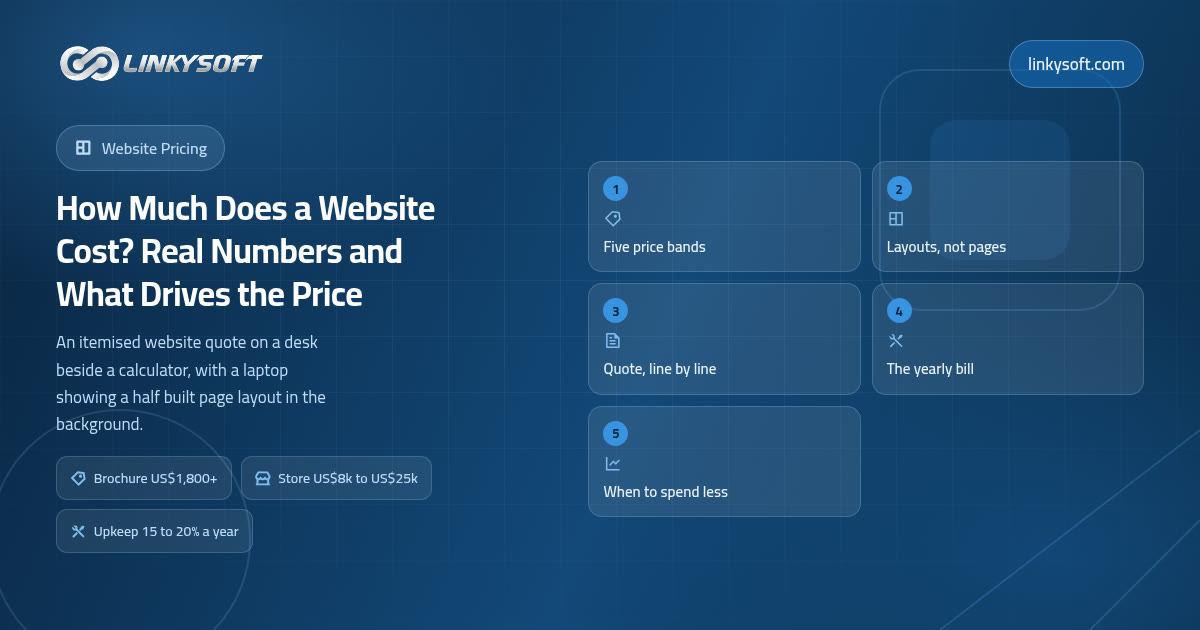
- A six to ten page brochure website: about US$1,500 to US$6,000. The bottom of that range is a carefully chosen template, your own text, one language and standard contact forms. The top is custom design, directed photography, two languages and copy written for you.
- An online store carrying 100 to 500 products: about US$6,000 to US$25,000. The bottom is a standard platform with simple shipping and one warehouse. The top involves product variants, more than one currency, links to your accounting or stock system, and a catalogue that has to be cleaned before it can be imported.
- A first genuinely usable version of a custom web application with logins and roles: about US$20,000 to US$80,000. The bottom is one clear workflow and two roles. The top is several roles, reporting, invoicing, and connections to systems you already run.
Five things move a price more than anything else: the number of user roles, because each one is a separate set of screens and permissions to build and test; integrations with systems you already pay for, since your accounting package or your courier will not bend to fit you; custom design against a carefully tuned template; the number of languages, because a second language multiplies the content, the testing and the small layout problems; and migrating old data, which is the quiet one nobody prices, because even a modest catalogue is days of cleaning before anybody can import it.
That is also why two honest quotes for the same website can differ by four times without either party being dishonest. One assumes you supply finished text and photographs and includes a fortnight of work, while the other includes writing, photography, three rounds of design, testing on real phones and a month of support after launch. Three questions force both onto the same footing: who writes the words and gathers the photographs, how many rounds of changes are included before extra fees start, and what happens in the first thirty days after launch when something breaks. Be direct with yourself about the answers, because a quote far below the range has left something out, and in our experience it is almost always content, testing, or the second language.
Before you flinch at the top of any range, do the sum that pays for it. Eight thousand visits a month converting at 1.5 percent is 120 orders, and lifting that to 2.2 percent is 176 orders. At a US$60 average basket that is about US$3,360 more every month, which pays back a US$20,000 build in roughly six months. If your traffic is nowhere near eight thousand visits, that sum is telling you something useful too, and the section below on plain websites is written for you.
How long until it is live, and what actually causes the delays
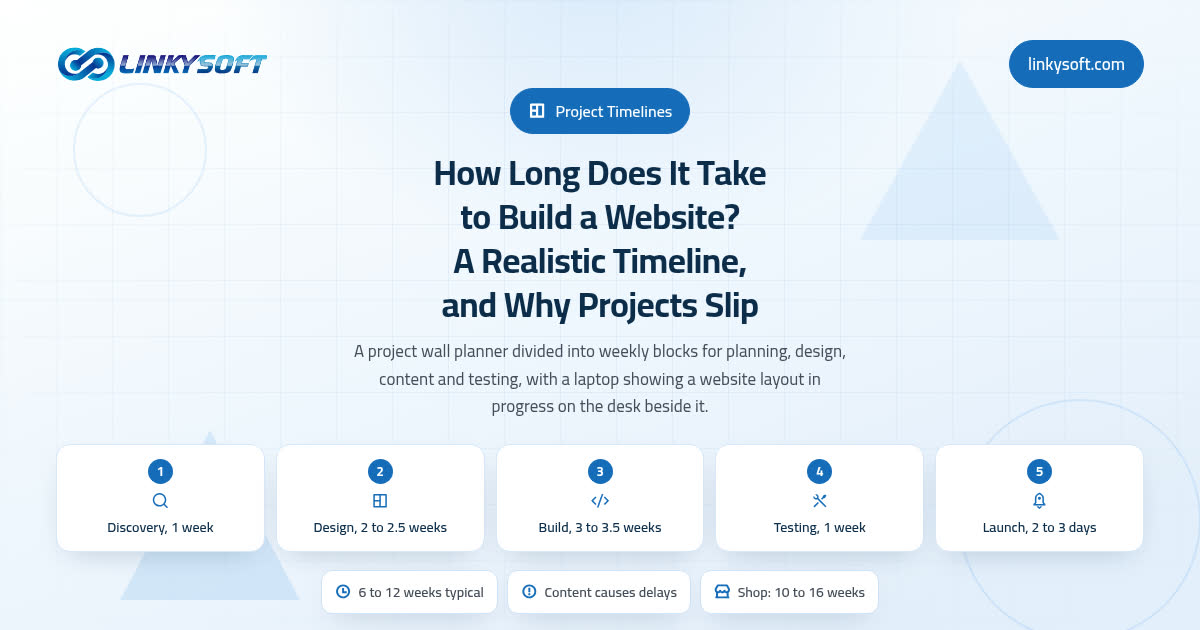
From kickoff to launch the ranges look like this: a brochure website takes 2 to 4 weeks, an online store 5 to 9 weeks, a booking system or customer portal 12 to 16 weeks, and a full custom platform with roles and reporting 20 to 28 weeks. One caveat matters more than all of those numbers put together, which is that the clock starts when the content exists, not when the contract is signed.
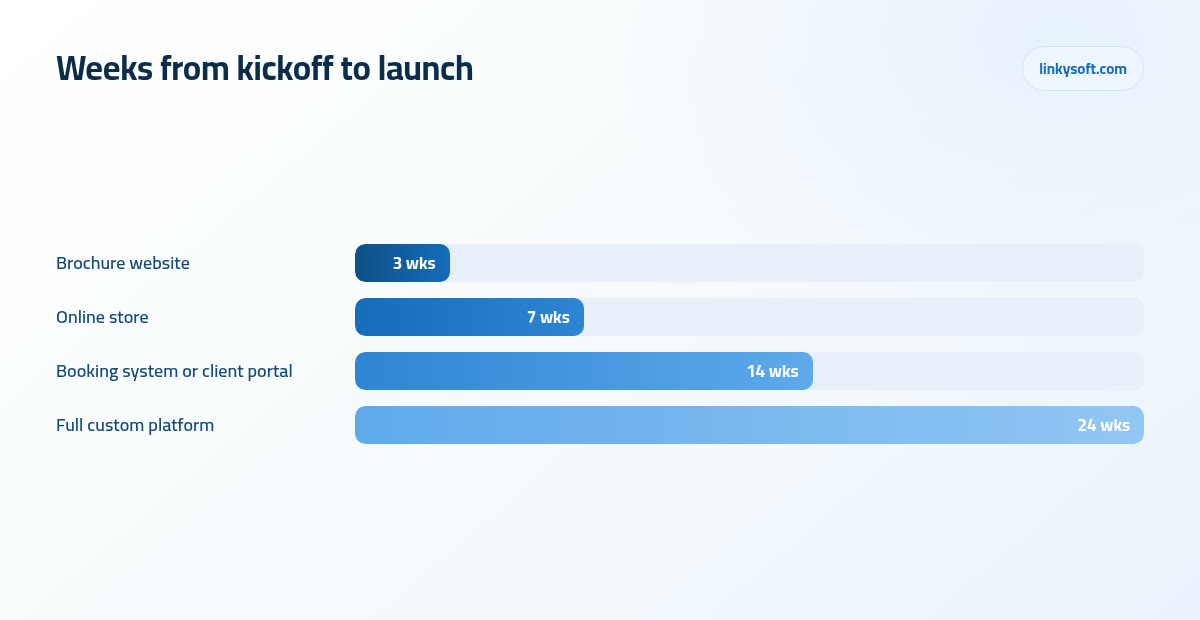
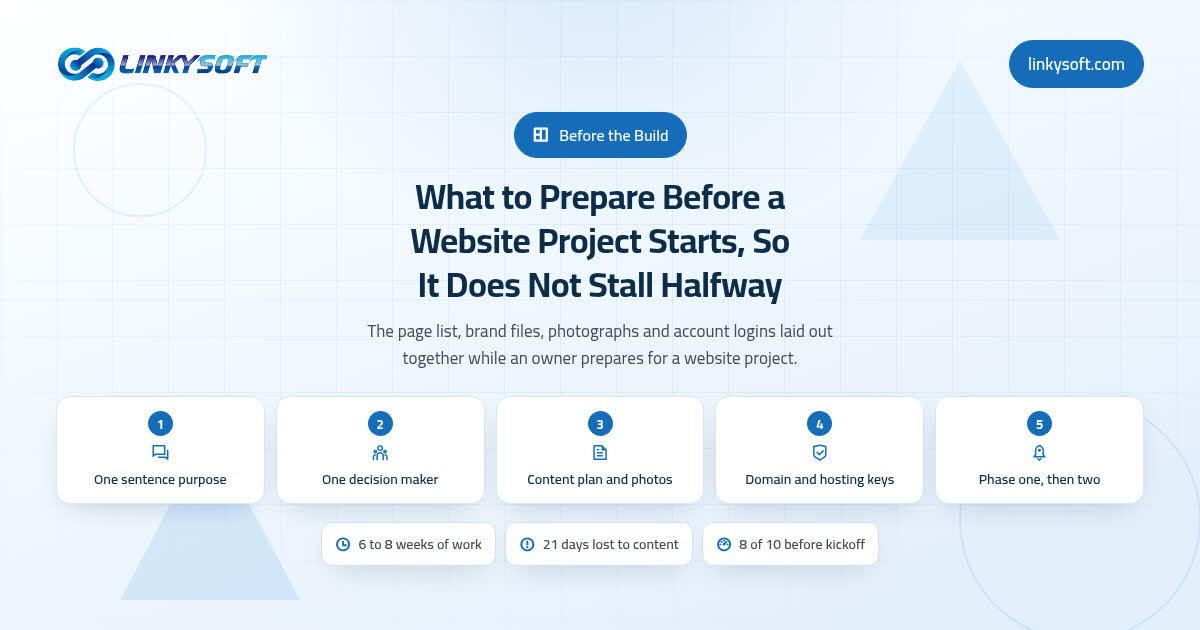
On projects that run late, most of the lost time is content rather than code. We are waiting on the text for the about page, on photographs of the actual premises, on product data that lives in three different spreadsheets with three different sets of column names. Preparing a catalogue costs roughly 4 to 8 hours of data work per 100 products before a developer touches anything, so 300 products works out at 12 to 24 hours, which is a day and a half to three full days, and almost nobody puts those days in the plan.
There is one fix worth stating plainly, because it works nearly every time. Launch a smaller version on the date you promised, with your best forty products or your six strongest pages, then add the rest in week three. A live page earns while a perfect one waits, and the feedback you get from real visitors in that fortnight is worth more than another round of guessing around a meeting table.
The bill nobody budgets for: what it costs to own, every year
Every option has a running cost, and being surprised by it is the most common regret we hear in year two. A brochure site costs about US$60 to US$300 a year for hosting plus US$12 to US$25 for the domain name. A store lands at about US$300 to US$1,200 a year once you count hosting, the security certificate that puts the padlock beside your address in the browser and keeps customer details encrypted, backups and the paid extensions that most stores end up needing for shipping or tax. A web application runs about US$1,200 to US$6,000 a year for servers, the database, a staging copy where changes can be tested safely, monitoring and backups.
Then there are card fees, which owners rarely work out until the first statement arrives, and which are collected by your payment gateway, meaning the company that takes the card payment on your behalf and passes the money on to your bank. Card payments cost roughly 2.4 to 3.5 percent of the sale plus a fixed 0.20 to 0.30 per order, so take 200 orders a month at an average basket of US$60, which is US$12,000 of sales. The percentage part is US$288 to US$420, the per order part adds another US$40 to US$60, and you are handing US$328 to US$480 a month to the payment companies before a single other cost. Copy that sum with your own order count and basket size, because it quietly changes what your prices have to be.
Finally, budget 15 to 20 percent of the build cost every year for maintenance. On a US$10,000 store that is US$1,500 to US$2,000 a year, and it is not a subscription for nothing, because it buys security patches, keeping up with browser and phone updates that break things you never touched, and the small changes nobody wants to wait a month for. Skipping it is how a working store turns into an emergency, which is why patching and backups sit at the centre of our cybersecurity work rather than being sold as an optional extra.
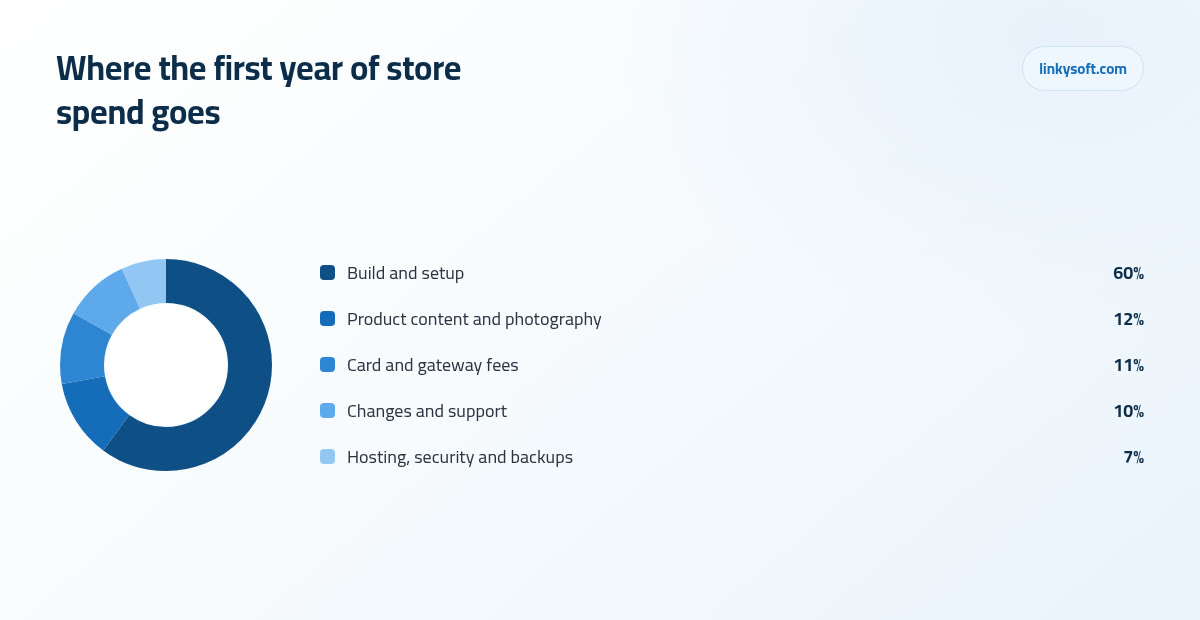
It helps to see the whole first year at once, because the build is only about six tenths of it. For a typical store owner, build and setup takes around 60 percent of the first twelve months of spend, product content and photography 12 percent, card and gateway fees 11 percent, changes and support 10 percent, and hosting, security and backups the remaining 7 percent.
Most businesses overbuy, and here is what that mistake costs
The pattern is easy to describe and hard to resist: you pay today for the version of the business you hope to be running in three years, and then the hoped for volume does not arrive on schedule. The features are all there, correctly built, doing nothing. Meanwhile the things that would have brought the volume, such as decent photographs, clear prices, a page that loads quickly and shows up in search, never got funded because the budget went into the machine instead.
A worked example makes it concrete. A firm asks for a client portal with logins, document uploads and a message centre, for six people, so call it US$30,000 and four months. The same US$30,000 spent on a sharp eight page site, professional photography of the real work, properly written service pages and six months of being found in local search will usually produce more new business, and those six people can email documents perfectly well until there are sixty of them.
The fear underneath overbuying is the rebuild, and it deserves an honest answer rather than reassurance. Rebuilding a website as a store inside the first year typically costs 60 to 80 percent of the original build again, because the design, the content and the hosting all get redone. What carries over is everything you own: your domain, your words, your photographs, your customer list and your product data. What does not carry over is the design and the build itself, so the expensive rebuild only really bites when the first build ignored content and data, which is avoidable from day one. At Linkysoft we have talked more than one client down to the smaller option, and where the volume did arrive a year later they came back with money still in the bank and a year of real data telling us exactly what version two should do.
When a plain website is genuinely the smarter buy
For a large group of businesses the plain website is not a budget compromise, it is the correct answer. Service firms that close by conversation, clinics, contractors, consultants, restaurants and companies that sell to other businesses, closing twenty to two hundred high value deals a year, all sell through trust and a phone call, and none of that gets better by adding a cart to the page.
Spend the difference on the things that actually move those deals: proof in the form of named results, speed, real photographs of your own premises and your own people rather than stock images, prices or at least price ranges stated plainly, one obvious path to booking or enquiring, and being found in local search. Here is a concrete standard you can hold a builder to. Six to ten pages that load in under two seconds and answer the five questions every buyer asks, which are what exactly do you do, who have you done it for, what does it cost, how long does it take and what happens next, will out earn a thirty page site that answers none of them. Our case studies show how that looks for real businesses, and being found is a separate discipline handled by our digital marketing team.
The signs you have outgrown your website, or your store
You rarely need a formal review to know, because the triggers are physical and you can spot them inside a week: orders arriving in direct messages and comments, staff retyping the same customer details into two systems, a shared spreadsheet with five or more people editing it, and customers phoning to ask where their order is because nobody can answer without opening three tabs.
Put an hour rate on that and the moment software starts paying for itself becomes a date rather than a feeling. A clinic taking 40 bookings a day at four minutes each spends about 2.7 hours daily on the phone, so moving 60 percent of those bookings online returns roughly 1.6 hours a day, close to 33 hours a month, which is about one person week every single month. That is the calculation that turns a booking system from an expense into an obvious purchase, and it works the same way whether you are a clinic, a garage or a training centre.
Stores send their own signals. Once buyers start asking for quotes rather than prices, once orders need approval before they ship, once you have separate price tiers for the trade customers who buy from you regularly, subscriptions, or repeat buyers who want a login area with their order history and saved addresses, your store has quietly become an application and is being asked to do a job it was never built for. A mobile app sits further along the same road, since it earns its place when people use you several times a week and you need notifications or the camera, and the honest note is that the web version almost always comes first, which is why our mobile app development projects usually start in the browser and add the app once the habit is proven.
Sell online before you build a store: the cheap way to test demand
If question one gave you a yes but your volume is still a guess, do not start with a build. Four cheap routes will prove demand in weeks: a listing on an established marketplace, checkout inside a social profile, a payment link dropped onto an ordinary page of your existing website, and an off the shelf booking or subscription tool. Any of them tells you within a month whether people will actually pay, and none of them costs more than a few hours to set up.
They are rented, though, and rent has a number. Commission on marketplace and social selling usually falls between 5 and 20 percent per sale, so US$10,000 a month of sales at 15 percent is US$1,500 a month, or US$18,000 a year, which is more than most store builds cost outright. That is your graduation point, and it is a number rather than an ambition, because once the annual commission passes the cost of building and running your own store, you have been paying for a store every year without owning one.
Keep four things from the test so that nothing is wasted later: your customer list exported and stored where you control it, your product data in a clean spreadsheet with consistent columns, your photographs at full resolution, and your own domain name pointing at whatever you are using today. Every one of those moves into a real store in an afternoon, whereas a marketplace account moves nowhere.
Choose the option you can grow out of gracefully
The goal is not to predict correctly, because nobody does that reliably. The goal is to make the next step cheap, and four things cost nothing today while saving a rebuild later. Register the domain and open the hosting account in your own company name rather than your agency's. Own the content and the photographs outright, in writing. Keep product and customer data structured and exportable, which usually means consistent columns and no information trapped only inside images. And know who holds the administrator passwords, because that single question has delayed more projects than any technical problem we have met.
When you brief a builder, one page is enough, and it should say five things: what you want the visitor to do, how many people sign in and how often, which systems must talk to each other, the date you need it live and why that date matters, and the budget ceiling. Give any competent firm those five lines and you will get comparable quotes instead of five different guesses at what you meant.
So here are the three answers in three sentences. If your close is a conversation, build a six to ten page website that loads fast and answers the five buyer questions, then spend the rest on proof and on being found. If people need to pay you on your own pages, build the store, but test demand cheaply first and price the card fees and the yearly running cost into your margins before you launch. If several people sign in every week to do repeated work that no rented tool matches, build the application, start with one workflow and two roles, and let the first six months of real use tell you what version two should be. That is the whole decision, and if you would like a second opinion on which of the three your numbers point to, including where your hosting and your data should sit, Linkysoft will give you a straight answer even when the straight answer is the cheaper one. Talk to us, and bring your order count, your user count and your date.