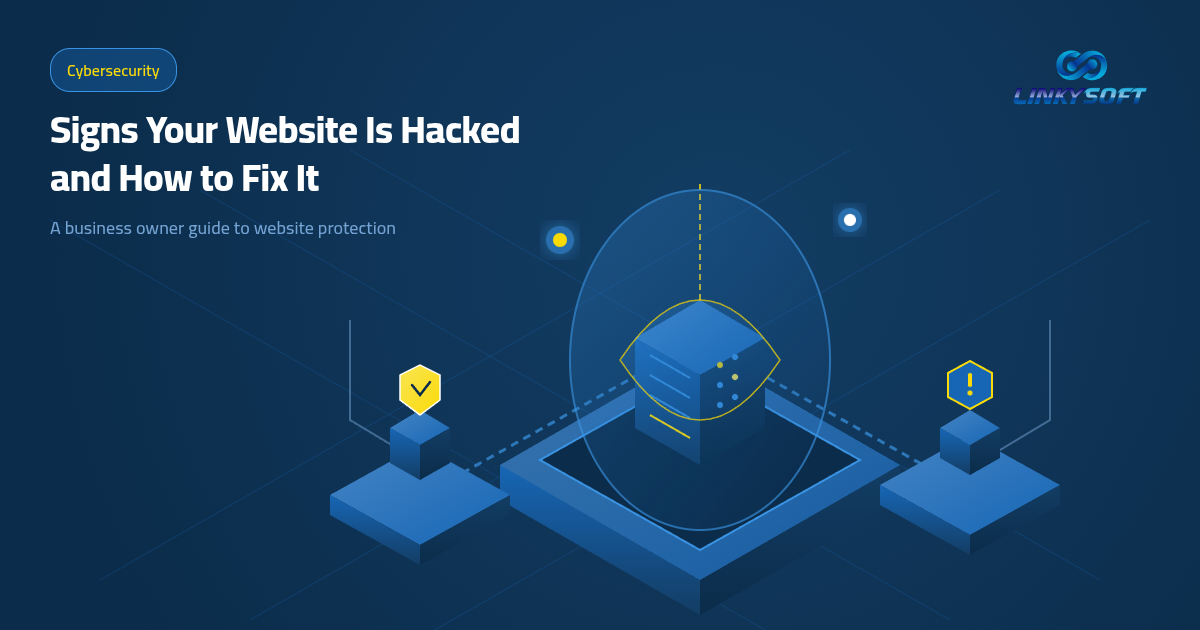
The direct answer to how to know if your website is hacked starts with watching for abnormal server slowdowns, unexpected redirects, and strange messages shown to visitors. When your pages suddenly send customers to external advertisements or load with agonizing delay, your web server is likely dealing with unauthorized interference that needs fast action.
Your website serves as the primary digital entrance for your business, and any security incident damages customer trust long before it damages technical files. Defending this corporate asset requires recognizing the earliest indicators of trouble and moving quickly to contain the problem.
We built this practical guide to help business owners identify danger signals, inspect server traffic, and safeguard customer records without getting lost in unnecessary jargon.
Why website security forms the bedrock of customer trust
Your business website is often the first place customers meet your company, review your offerings, and submit their private contact details in good faith. When unauthorized actors breach this digital storefront, the immediate casualty is not just your codebase, but the hard-earned reputation you spent years establishing across your market.

Losing customer confidence pushes buyers directly toward competing brands if they suspect their login details or payment information are at risk. Investing in continuous monitoring and proactive defenses protects your company stability and keeps sales flowing without unexpected interruption.
Reputational damage following an unaddressed breach
Online customers expect a dependable experience when they visit your pages, and any security alert from modern browsers causes them to leave immediately. Repeated warnings create a lasting negative association, linking your corporate name with sloppy management and digital insecurity.
Rebuilding lost credibility takes months of expensive marketing and painful outreach to win back hesitant buyers. Keeping your files clean and your infrastructure monitored spares your organization these heavy financial and commercial penalties.
Operational losses caused by unplanned downtime
When an active intrusion forces your website offline, customer transactions and service bookings stop cold across every department. This halt cuts off immediate revenue streams while engineering bills for malware cleanup, data audits, and vulnerability patching pile up rapidly.
Proactive protection saves your company from the massive emergency budgets required to rebuild destroyed databases after an incident. Practical security is an essential shield that preserves your daily cash flow.
Warning signs that reveal intruders inside your website
A compromised website displays clear indicators that alert an observant business manager that unusual activity is unfolding behind the scenes. Recognizing these warning flags early allows your team to intervene before attackers copy customer records or deface public pages.

Staff members who handle daily orders and content updates should learn to flag odd behaviors during their normal routine. Every hour that passes after an initial sign gives intruders more time to embed persistent access points across your hosting environment.
Severe and unprovoked page loading delays
When your website becomes sluggish without any corresponding increase in genuine customer visits, the web server may be working for someone else. Attackers frequently exploit hijacked CPU cycles and RAM to distribute spam campaigns or coordinate attacks against external targets.
This resource starvation creates a terrible experience for real visitors and causes prospective clients to abandon your checkout process. You should review hosting resource charts immediately whenever pages crawl without a clear business reason.
Unintended redirects sending visitors to foreign domains
Attackers frequently inject stealthy redirect rules that send incoming visitors to suspicious advertising networks or deceptive scam portals. These malicious scripts often check the visitor source, targeting people arriving from search engines while leaving direct visits unaffected to delay discovery.
This behavior destroys your visibility on Google and quickly triggers blacklisting across browser security filters. Checking site navigation paths and server redirect rules uncovers these hidden modifications.
Unwanted popups and third-party advertising banners
Seeing unauthorized promotional banners appear across your corporate pages proves that someone altered your theme templates or database records. These intrusive popups often advertise dubious remedies or trick visitors into downloading infected software onto their devices.
Having spam ads displayed on your commercial platform wrecks corporate credibility and flags your address as hostile. Cleaning the infection requires scrubbing both the filesystem and database tables.
Sudden changes to your homepage layout and text
Certain attackers alter public homepages completely to display political slogans, bragging notes, or hacking group signatures. This visual defacement confirms that the intruder gained top-level administrative credentials and took full control over your content management system.
You must isolate the server immediately from the public internet to stop further destruction and protect connected databases. Quick action prevents total data loss and limits public exposure.
How to confirm an intrusion through practical checks
Never rely on guesswork when evaluating the security posture of your business website; use systematic methods to verify system health. Digital log files and hosting telemetry provide concrete evidence showing whether your platform remains intact or suffers from an active intrusion.

Any business manager can review these indicators or direct technical staff to examine them without writing complex software scripts. Methodical inspection exposes unusual patterns within minutes.
Analyzing traffic graphs and visitor origin logs
Reviewing visitor analytics highlights sudden, unnatural surges in traffic originating from geographical areas where your company conducts no business. These artificial visits usually represent automated botnets scanning for unpatched forms or attempting brute-force password attacks.
Access logs also reveal repeated requests aimed at administrative folders and hidden configuration files during odd night hours. Watching these patterns provides an early warning before attackers break through your defenses.
Reviewing server files and recent modification stamps
You can use your hosting control panel to browse the filesystem and spot newly created files bearing random string names. Malicious scripts hide inside image folders and temporary directories where non-technical owners rarely check.
Similarly, unexpected modification dates on core system files indicate unauthorized changes when your developers made no official updates. Comparing live files against clean backup archives immediately highlights modified lines.
Running specialized malware detection tools
Dedicated security scanners scan your entire web directory and database tables to identify injected code patterns and known exploit signatures. These tools compare file hashes against updated global databases of emerging cyber threats.
The resulting audit reports list infected filenames, threat severity ratings, and straightforward steps to clean each item. Running routine scans ensures your environment stays clean month after month.
Immediate rescue actions to contain damage after a breach
Staying calm and executing deliberate recovery actions when confirming a breach minimizes financial loss and protects sensitive customer data. Carrying out the correct steps in proper order prevents the attacker from deepening their hold on your server infrastructure.

Never delay response in the hope that issues resolve themselves, because waiting gives intruders extra hours to exfiltrate private records. The professional Cybersecurity service from Linkysoft provides specialized support to contain security incidents swiftly.
Resetting all administrative credentials and API keys
Your first critical move is updating passwords for every administrator profile, database user, hosting portal, and associated business email. Generate lengthy passphrases combining mixed casing, numbers, and symbols while activating two-step verification across every management account.
Terminating all active user sessions forces out any attacker currently connected through stolen cookies. Replacing access keys shuts the door against further direct entry.
Taking the platform offline with a clean maintenance page
If your website redirects visitors or leaks user information, turning on maintenance mode protects your audience from harm. Placing the site into temporary hiatus is far better than leaving it active as a distribution hub for malicious files.
This pause gives technical experts quiet space to examine infected folders and database entries without external interference. Protecting customer privacy must always remain your highest priority.
Engaging experienced engineering support
Handling sophisticated intrusions requires technical expertise to pinpoint the entry vulnerability and close it permanently. Knowledgeable support personnel trace attack origins and scrub hosting directories with thorough care.
Specialists supply a clear post-incident report explaining how the intrusion occurred, what files were touched, and what long-term defenses are required. Partnering with seasoned professionals shortens recovery time and restores operational confidence.
Building a proactive defensive barrier against future attacks
Proactive defense represents the most reliable and affordable strategy to keep your web platform secure over years of business growth. Engineering a resilient site from the start minimizes attack vectors and gives you peace of mind to focus on expanding sales.
True prevention combines clean architecture, automated firewalls, and timely patching across every layer of the technology stack. Linkysoft provides complete web solutions starting from foundational engineering through 24/7 system care.
Custom website development built securely from scratch
Relying on bloated commercial themes and questionable third-party plugins is one of the most common causes of web security failures. Choosing custom Website Design & Development ensures that your web application runs on clean code free from inherited legacy vulnerabilities.
Bespoke web solutions excel in loading speed, responsive layout, and compliance with modern search engine standards. Building your site cleanly from the ground up protects your business against widespread automated attacks.
Adopting private management software with isolated databases
Growing organizations that manage customer data, staff schedules, and inventory require specialized platforms with granular permission controls. Custom Web Applications & Management Systems allow your team to run operations securely from any browser with strong encryption across all workflows.
These systems restrict employee access according to their job roles while recording every sensitive action in audit logs. Database isolation protects your core operational records even if an external contact page experiences pressure.
Continuous vulnerability monitoring and security oversight
Security is not a one-off task completed at launch, but an ongoing practice that demands active server monitoring and rapid patching. Our Cybersecurity engineers deploy web application firewalls that block malicious requests and traffic surges automatically.
Around-the-clock observation detects suspicious probing before intruders reach sensitive customer records. Lasting peace of mind begins when you place your security in experienced hands.
Common questions business owners ask about website security
Business owners frequently encounter questions regarding how to protect digital investments and avoid common security pitfalls. We answer the most common queries below to help you make informed decisions for your website and customers.

Understanding these fundamental security concepts removes technical confusion and helps you evaluate your current risk profile with clarity.
Is an SSL certificate enough to prevent website attacks?
An SSL certificate only protects data in transit between the visitor browser and your web server from intercepting third parties. It does not protect stored database records or server files from software flaws or weak passwords. Complete protection requires an active firewall and regular malware scanning alongside encryption.
How long does it take to clean a website after an intrusion?
Cleaning a website takes a few hours when you have clean, recent backup archives ready to deploy. If the intrusion runs deep and requires manual code analysis to discover backdoors, remediation may take several days to ensure no hidden scripts remain. Cleanups should always conclude with patching the original entry vulnerability.
Does a security breach hurt website visibility on search engines?
Search engines demote compromised websites quickly when automated crawlers detect spam links or malware scripts on public pages. Search engines may display prominent red warnings to prospective visitors or remove the domain from search indexes entirely. Addressing the issue and requesting a review restores clean standings.
Why do hackers target small business websites with low traffic?
Hackers use automated scripts that search the internet indiscriminately for known software flaws regardless of business size. Attackers seek server resources to send spam campaigns, host deceptive landing pages, or coordinate flood attacks against other organizations. Every connected website represents valuable computing capacity to malicious actors.
What practical step should you take next?
Protecting your website begins today by auditing your current operational setup and closing obvious security gaps before anyone exploits them. Never wait until an active intrusion disrupts orders and threatens customer trust to start thinking about cyber defense.
Review your administrative passwords now, verify that automated backups run daily to an offsite location, and consult specialists to evaluate your existing code. Linkysoft offers a free security consultation to assess your website and deliver a straightforward plan to secure your digital operations.
Auditing your current digital assets
Start by auditing every plugin, theme, and script currently installed on your hosting account, deleting components you no longer need. This simple housekeeping eliminates outdated code that attackers exploit to breach servers.
Discovering security weaknesses early lets you patch them calmly without the stress of an ongoing emergency. One proactive step protects your enterprise from costly downtime.
Partnering with experienced engineering specialists
Reach out to a trusted engineering team to build your website and manage your private systems with strong security baked into every line of code. Running your business on hardened infrastructure backed by continuous monitoring keeps your services reliable around the clock.
Investing in solid digital defenses is the most dependable way to ensure sustainable business growth and retain customer trust every single day.