Knowing how to protect a website from hackers begins with closing common entry points and applying consistent safeguards that protect your daily business. Effective security starts with complex passwords and multi-factor authentication combined with routine updates and trusted encryption. This disciplined approach builds a dependable barrier that stops automated threats before they reach your customer records.
Many business owners assume that cyberattacks only target large corporations with vast financial reserves, but real-world evidence shows that small websites face relentless attention from automated scanners. Attackers program software bots to crawl the web searching for unpatched software, weak logins, and misconfigured servers that can be exploited without significant effort.
Neglecting website defense leads to prolonged operational downtime, damaged customer relationships, and substantial expenses spent recovering corrupted databases. Implementing straightforward protective measures preserves steady commercial growth, prevents embarrassing browser security warnings, and keeps your online storefront open to paying visitors every day of the week.
The Value of Website Security for Growing Commercial Enterprises
Your business website serves as the primary gateway where customers discover your services, purchase products, and share personal contact information around the clock. Treating security as an afterthought puts your company revenue at risk and exposes your customer records to identity theft and digital fraud. When a website goes down unexpectedly because of a breach, potential buyers abandon their carts and move toward competitors within minutes.
Failing to protect web properties also creates severe regulatory consequences under data privacy frameworks when customer records leak into public view. At Linkysoft, our software engineers build defensive safeguards into every system from the start, because preventing an attack requires far less effort than repairing a damaged brand reputation after a crisis.
Why Automated Cyberattacks Frequently Target Smaller Businesses
Automated attack scripts do not evaluate brand prestige when scanning web addresses across the internet. Instead, these malicious programs search for vulnerable content management systems, default login credentials, and forgotten test files that lack modern security barriers.
Smaller enterprises often operate without full-time technical staff, which makes them appealing targets for automated network hijackers. Attackers frequently turn compromised small business servers into staging grounds for spam distribution or denial-of-service campaigns, causing web hosts to terminate accounts without warning.
The Real Impact of Security Breaches on Brand Trust and Discovery
Building client trust requires years of dependable service, yet that goodwill can evaporate in moments if visitors encounter prominent browser warning banners on your domain. Modern shoppers hesitate to enter payment information on any platform that has suffered an unaddressed data leakage event.
Search engines also penalize compromised web platforms by removing flagged pages from top search results to protect consumer safety. Recovering lost search visibility after a malware infection takes weeks of technical audits and re-indexing requests, costing companies thousands of organic sales leads.
Risks of Weak Passwords and the Importance of Two-Step Verification
Simple credentials remain the easiest doorway through which intruders infiltrate administrative dashboards without deploying specialized exploitation code. Many site managers choose short passwords based on family names, phone numbers, or corporate initials to simplify memory, underestimating how quickly modern computers crack predictable phrases.
Credential guessing represents one of the most common mistakes that lead to website breaches across modern retail platforms. Securing management portals demands a rigorous password policy coupled with secondary authentication methods that guarantee that only authorized staff members access backend tools.
Standards for Constructing Strong and Unpredictable Passphrases
A dependable password combines uppercase letters, lowercase letters, numbers, and distinct symbols into an unpredictable string exceeding twelve characters in length. Avoiding dictionary words and recognizable personal sequences dramatically increases the computational difficulty required to break the phrase.
Organizations should encourage employees to use reputable password management vaults to generate and store distinct passwords for every corporate service. This habit prevents a security compromise on an external service from exposing your primary web hosting account to unauthorized access.
Deploying Multi-Factor Authentication for Administrative Access
Multi-factor authentication adds a vital defensive barrier by demanding two distinct forms of identification before granting access to server settings. The system verifies knowledge of the primary password alongside possession of a personal smartphone running an authenticator application.
Activating this measure ensures that stolen passwords alone cannot grant administrative controls to remote intruders. This single configuration change neutralizes the majority of automated phishing attempts aimed at administrative accounts across your organization.
Dangers of Delaying Software Updates on Production Servers
Modern web platforms operate on layered technology stacks that include web servers, database engines, language runtimes, and third-party modules. Security researchers discover software flaws regularly, prompting vendors to publish corrective patches that eliminate vulnerabilities before attackers exploit them.
Postponing these software updates leaves your server exposed to public exploits that criminals catalog and scan for continuously. Practical security tips for website owners emphasize establishing a strict maintenance calendar to review and apply software updates across all hosting layers.
How Attackers Capitalize on Known Software Vulnerabilities
When software vendors release security advisories detailing resolved bugs, attackers analyze the published patch notes to engineer automated exploitation scripts. These malicious bots scan web addresses across the globe, searching for servers still running outdated versions of popular frameworks.
Intruders use these unpatched flaws to execute remote code, inject illicit administrative users, and alter database records without entering credentials. Delaying a recommended security patch for even several weeks exposes your commercial platform to preventable operational hazards.
Establishing a Reliable Update Schedule and Staging Environment
Maintaining security requires testing software updates on an isolated staging clone of your website before updating the live production environment. This workflow allows developers to identify plugin conflicts or styling issues without interrupting active customer transactions.
A comprehensive maintenance plan includes updating server operating systems, database engines, and runtime dependencies alongside front-end software packages. This consistent technical discipline ensures that your digital assets remain stable, responsive, and protected throughout the business year.
Consequences of Missing SSL Certificates and Unencrypted Traffic
Information passing between a customer browser and an unencrypted web server travels across public networks as plain text that intermediate parties can intercept. Lacking encryption exposes customer passwords, checkout billing records, and personal inquiry messages to interception on shared Wi-Fi networks.
Internet browsers warn users aggressively whenever they attempt to submit information through an unencrypted HTTP connection. Our team at Linkysoft treats end-to-end encryption as an absolute requirement on every platform we engineer, ensuring that customer privacy remains uncompromised at every digital touchpoint.
How Transport Layer Security Protects Customer Data Online
Modern encryption certificates convert sensitive data into complex ciphertext that cannot be decoded during transit without mathematical private keys stored on the server. This cryptographic protocol ensures that transaction payloads reach their destination without interception or unauthorized alteration.
Implementing reliable encryption protocols forms the foundation of protecting customer data online and earning payment processor approval for online storefronts. Major credit card payment gateways mandate active encryption certificates before allowing merchants to accept customer payments securely.
Browser Warning Flags and Their Detrimental Effect on Visitor Conversion
When a prospective client visits an unencrypted web address, modern web browsers display an alarming red warning message declaring the connection insecure. Most visitors abandon the webpage immediately to protect their personal devices from perceived digital hazards.
These security warnings drive bounce rates upward and decimate conversion rates across marketing campaigns, wasting advertising investments. Also, search engine algorithms prioritize encrypted domains, pushing unencrypted competitors further down search result pages.
Threats Posed by Untrusted Plugins and Pirated Website Themes
Some business managers attempt to reduce short-term development costs by downloading pirated themes and commercial plugins from unauthorized sharing portals. While these pirated files appear economical, they almost always contain malicious backdoor code designed to hijack server resources.
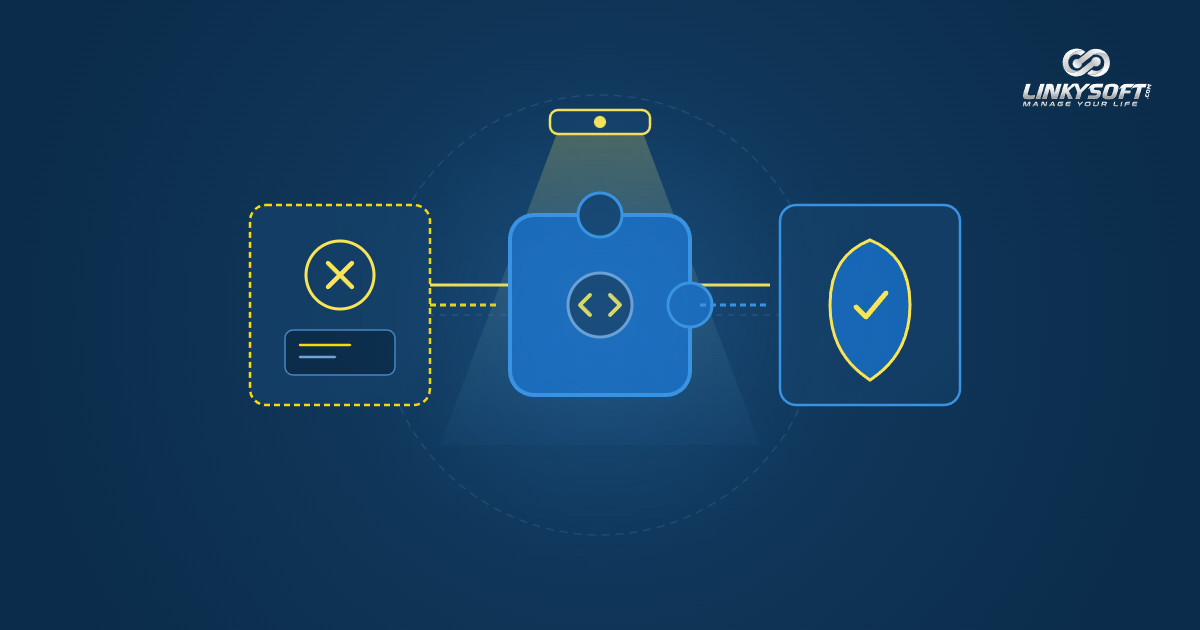
These unauthorized packages allow remote attackers to extract customer database tables, inject spam links, or deface company landing pages without triggering standard error logs. Strengthening small business website security requires sourcing extensions exclusively from verified developer directories that audit software releases thoroughly.
Hidden Backdoors and Exploitation Scripts Inside Pirated Code
Criminal networks modify commercial software codebases to insert obfuscated administrative backdoors before distributing them freely across unauthorized download websites. These hidden scripts mimic standard core files, making them difficult for non-technical website managers to spot.
Once activated, these backdoors grant external operators full privileges to modify files, download customer tables, and host phishing portals directly on your server. Installing a single pirated plugin compromises the entire security posture of your business hosting account.
Best Practices for Selecting and Auditing Third-Party Extensions
Selecting reliable extensions requires examining active installation counts, developer reputations, and recent update frequencies on official marketplaces. Choose tools that demonstrate active maintenance histories and direct compatibility with your existing web framework.
Limiting the overall number of installed extensions minimizes potential attack surfaces that external threat actors can probe. Always delete inactive plugins completely from the server file system rather than simply deactivating them within the administrative dashboard.
Costly Consequences of Neglecting Routine Database and File Backups
A dependable backup archive serves as the ultimate safety net separating a brief operational pause from a devastating business disaster. Unforeseen server crashes, employee mistakes, and malicious ransomware attacks can erase years of proprietary records in an instant.

Operating without automated backups exposes your enterprise to operational paralysis, requiring weeks of manual data re-entry or financial losses. Following verified steps to secure a website from hacking includes scheduling automatic offsite backups and verifying recovery procedures on a regular basis.
Storing Encrypted Backup Archives in Isolated Cloud Locations
Storing backup archives inside the same hosting account as your live website creates a dangerous point of failure during severe security incidents. If an attacker gains full access to the hosting server, they can delete or encrypt backup files alongside production databases.
Sound security architecture dictates transferring encrypted backups automatically to independent cloud storage repositories protected by separate authentication credentials. Managed hosting services such as Hostrena provide automated daily backups stored on isolated storage clusters with one-click restoration options.
Testing Disaster Recovery Protocols to Verify Data Integrity
Saving archive files is insufficient unless your technical team regularly tests restoring those files to confirm that databases function properly without corruption. Incomplete backup scripts can produce unusable files that fail during emergency recovery scenarios when time is critical.
Conducting scheduled recovery drills trains your technical personnel to restore services rapidly, cutting downtime from days down to a few manageable hours. Regular testing provides business leaders with genuine confidence that operations will endure technical disruptions smoothly.
Frequently Asked Questions Concerning Website and Application Defense
Here we address common technical concerns that business owners encounter when planning defensive strategies for their commercial web platforms. These practical explanations help leadership make informed decisions that enhance stability while avoiding common implementation pitfalls.
Does a simple informational website require active cyber protection?
Yes, every website accessible over public networks requires active security protections regardless of company scale or daily traffic numbers. Malicious automated bots seek out unprotected servers to exploit bandwidth, send email spam, or attack external networks without regard to your business model. Establishing basic protective barriers maintains server stability and protects your domain from search engine blacklists.
What is the immediate response procedure when a breach is suspected?
Isolate the website temporarily to prevent damage propagation and change all administrative, database, and hosting credentials immediately. Examine server access logs to identify altered files, determine the point of entry, and assess data exposure. Engage experienced cybersecurity professionals to clean infected codebases and restore clean records from an audited backup.
How long does a thorough website security audit take to complete?
A comprehensive website security assessment takes between two days and a full working week depending on platform complexity and architecture scale. The review blends automated vulnerability scanners with manual code reviews to expose logic flaws and server misconfigurations. Upon completion, technical auditors provide an actionable remediation report detailing priorities for closing detected weaknesses.
Does an SSL certificate alone provide complete protection for a website?
No, an SSL certificate only protects data in transit between visitor browsers and the server, leaving database tables and backend code untouched. True cyber resilience requires defense in depth, combining application firewalls, routine software patches, and continuous server monitoring. The certificate secures network transport, while broader security practices safeguard the data stored on the server itself.
How do daily backups minimize commercial losses following a cyber incident?
Daily backups ensure that recent client transactions, order histories, and published content remain intact if an unexpected incident occurs. Your team can restore a clean snapshot immediately after sealing the entry point without negotiating with extortionists or losing customer goodwill. Frequent automated backups reduce operational downtime and prevent catastrophic revenue losses during crises.
Practical Measures to Implement the Best Ways to Secure Websites
Building a resilient digital presence requires deliberate architectural decisions during the initial development phase rather than rushed patches applied later. Business leaders must prioritize secure code reviews, hardened server configurations, and clear employee access tiers to protect institutional value. The engineering specialists at Linkysoft deliver comprehensive technical solutions, engineering custom websites and applications designed for resilience and stability.
You can collaborate with our experienced team in Website Design & Development to launch custom web properties built with clean, standards-compliant code that avoids common vulnerabilities. We also engineer advanced Web Applications & Management Systems tailored to growing enterprises, featuring strict role permissions and encrypted database storage.
Conducting a Comprehensive System Audit and Patching Deficiencies
The first practical step toward digital security involves auditing your existing hosting servers, databases, and third-party software extensions. This systematic inspection clarifies urgent vulnerabilities, enabling your technical team to update neglected components before automated crawlers locate them.
Review employee administrative roles, remove obsolete accounts, and enforce two-step authentication across all management interfaces. A structured audit delivers transparent insight into your operational posture and lays the groundwork for sustainable business expansion.
Partnering with Experienced Security Engineers for Long-Term Resilience
Maintaining security demands ongoing diligence and specialized expertise that non-technical business teams cannot maintain alone. Dedicated Cybersecurity services from Linkysoft provide continuous vulnerability scanning, penetration testing, intelligent web application firewalls, and active monitoring to shield your platform against denial-of-service spikes and intrusion attempts.
Partnering with a seasoned technical ally allows your leadership team to focus entirely on commercial growth while your digital infrastructure remains secure. Reach out to our technical team today to schedule a confidential security consultation that protects your online presence for years to come.