The true value of data backup for businesses lies in providing a dependable defensive shield that keeps your enterprise running smoothly when server outages or unforeseen intrusions occur. Maintaining separate copies of website files and client records allows fast restoration within hours without prolonged trading halts. Companies with fresh, isolated backups hold the capacity to resume daily trade and support their clients with quiet certainty.
The benefit of regular backups extends far beyond simple technical file protection. It protects daily operating revenues and preserves the hard-earned brand reputation you spent years constructing. When an online shop or administrative system collapses without an external copy, pending customer orders vanish, transactions stall and minor glitches transform into painful crises of confidence. Advance data planning brings peace of mind so you can focus on expanding your enterprise rather than fearing digital accidents.
Every prudent business owner treats regular data backup as a mandatory operational duty, much like purchasing facility insurance or maintaining essential workplace equipment. Scheduled backups guarantee complete recovery of vital records without forcing you to negotiate with malicious extortionists who disrupt operations. Investing in dependable data preservation shields your firm against devastating losses and maintains customer trust through demanding situations.
What Is Data Backup and Why Does It Form Your First Defensive Foundation?
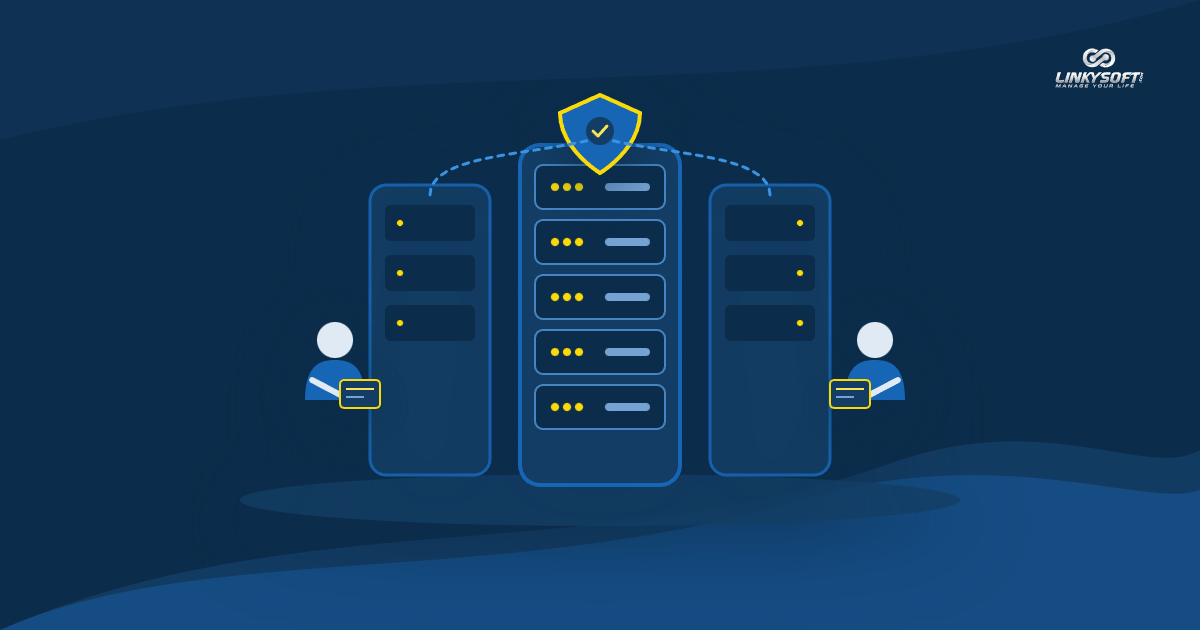
At its core, data backup is the practice of duplicating every file, database record and digital asset powering your platform and storing it securely in a location completely isolated from your primary hosting environment. Consider a homeowner who keeps a spare set of door keys in a secure safe box at a trusted neighbor's house. If the main keys are lost or damaged, the owner never needs to break down the door or install expensive new locks. Instead, they retrieve the spare key and enter their home peacefully. That simple redundancy mirrors exactly what an isolated backup accomplishes for your business when server hardware malfunctions.

Many commercial founders without technical backgrounds assume that files living on their primary hosting server are permanently safe and sufficient to sustain their company. The truth is that hosting servers are physical computers vulnerable to sudden disk crashes, electrical faults, cooling failures or accidental software corruption. Storing backup archives on the same partition as active website files resembles locking your spare keys inside the exact room you cannot access. Separating your archives into independent storage environments creates true commercial resilience.
Modern data administration cannot depend on guesswork, scattered emails or memory. Relying on loose habits creates confusion when crises strike. When your data protection plan integrates with reliable server environments such as those supplied by Hostrena, retention procedures execute automatically on fixed schedules without requiring exhausting manual intervention. This structured discipline transforms your operations from an uncertain gamble into a stable enterprise protecting its assets with calm foresight.
In daily practice, modern digital commerce moves quickly, and transactional databases change by the second. Product inventory counts decrease with every purchase, client accounts update their shipping destinations, and financial ledgers record critical payment tokens. If a system failure wipes out an entire afternoon of customer activity, recreating those transactions manually demands tremendous labor and introduces painful accounting errors. Modern automated backup tools snapshot database states continuously, ensuring minimal data loss between backup intervals.
Clear classification of your corporate records simplifies backup management. Static assets, including marketing photographs, stylesheet documents and application code libraries, change infrequently and require periodic weekly snapshots. Conversely, transactional databases storing customer accounts, billing invoices and operational logs need constant daily preservation. Structuring your storage strategy around data sensitivity ensures optimal resource usage while guarding the operational heartbeat of your company.
Direct Risks of Data Loss on Profits and Market Reputation
Experiencing sudden data loss inflicts immediate damage on daily revenues and derails long-term commercial growth. When an online storefront crashes unexpectedly, the digital checkout closes instantly. Prospective shoppers cannot place orders, incoming payments halt, and marketing budgets spent driving visitors to product pages go to waste. For businesses operating on tight margins, losing multiple trading days translates into severe financial distress that strains supplier commitments and payroll obligations.

Beyond lost sales receipts, the damage inflicted on corporate reputation cuts even deeper. Buyers value reliability and confidentiality above all else. When visitors encounter broken web pages or receive notices stating their order history vanished into thin air, their confidence evaporates. Disappointed customers migrate toward dependable competitors who demonstrate superior operational control. Winning back lost market confidence requires months of costly advertising and public relations outreach.
Operational paralysis represents another painful consequence of missing data reserves. Without access to customer contact details, open delivery schedules or vendor contracts, your internal workforce stands idle. Customer service representatives cannot resolve inquiries, warehouse personnel cannot dispatch merchandise, and managerial decisions stall due to missing metrics. This state of organizational blindness costs money every hour it persists while generating severe internal stress across your team.
Legal liabilities and regulatory penalties add further peril to unmanaged data loss. Commercial privacy laws across global jurisdictions require businesses to protect personal consumer records against accidental destruction. Failing to maintain verifiable recovery systems can expose leadership to formal regulatory inquiries and hefty fines. Demonstrating clear data management policies protects your enterprise against punitive penalties while reassuring corporate partners of your professional diligence.
Ransomware attackers specifically exploit companies that neglect offsite backups. Malicious software infiltrates corporate networks, encrypts live production files and demands extortionate payouts to deliver decryption keys. Organizations lacking separate offline copies frequently feel forced into paying extortion demands, with no guarantee that attackers will actually restore access. In contrast, businesses with uncompromised external archives simply scrub infected servers clean and restore their files safely within hours.
Importance of Data Backup for Businesses as a Practical Emergency Lifeline
Maintaining reliable data backup serves as your ultimate lifeline whenever emergency conditions threaten operations. It provides guaranteed continuity, allowing managers to confront hardware crashes, database corruptions or security intrusions with steady composure. Knowing that a complete copy of your enterprise records waits securely offsite removes fear from business leadership and preserves operational focus during turbulent times.

Implementing a successful backup system does not require overwhelming technical complexity. Instead, it relies on disciplined adherence to proven industry principles. At Linkysoft, where we have engineered enterprise software and corporate management platforms since 2007, we consistently advise clients to adopt the classic 3-2-1 backup architecture. This strategy distributes digital assets across multiple isolated platforms, ensuring infrastructure withstands the most challenging emergencies without faltering.
Under the 3-2-1 rule, your organization keeps three independent copies of all critical business records. These files reside on two distinct storage media types, such as fast local solid-state drives for immediate rollbacks and secure remote cloud servers for disaster recovery. Crucially, at least one copy remains in a separate geographic location, safeguarding data against regional utility outages, local hardware faults or physical office incidents.
Another fundamental benefit of maintaining systematic backups is rapid recovery speed. When an unexpected outage strikes, the length of your downtime dictates the magnitude of your losses. High-grade backup configurations include documented recovery protocols that allow technical teams to restore full database functionality within predictable timeframes. Rapid restoration reassures customers and business partners that your enterprise possesses true institutional resilience.
Regular restoration testing transforms theoretical safety into practical protection. Many companies dutifully schedule automated exports but neglect to test whether those archives can successfully rebuild operational databases. Running simulated recovery drills every quarter confirms archive integrity, trains internal staff on emergency workflows and uncovers potential configuration flaws before real crises arise. A tested backup strategy is the only one you can truly depend upon.
Best Practices and Proven Backup Methods for Commercial Web Platforms
Modern commercial platforms demand backup workflows that combine rigorous automation with advanced cryptographic protection. Relying on staff members to remember manual downloads introduces human error into critical procedures. During busy trading seasons, employees naturally prioritize customer orders and postpone routine administrative chores, leaving dangerous gaps in your protection schedule. Automated scripts eliminate this hazard by executing background snapshots like clockwork.
Incremental and differential backup techniques offer outstanding efficiency for growing enterprises. Rather than duplicating multiple gigabytes of static assets every night, incremental software captures only records created or modified since the previous cycle. This approach conserves server processing power, slashes storage bills and minimizes network bandwidth consumption, all while preserving the ability to restore data to specific points in time.
End-to-end encryption provides an indispensable layer of defense for archived records. Backups contain your most confidential assets, including customer identities, billing histories and proprietary operational documents. Encrypting data before transmission and while resting on remote storage ensures unauthorized intruders cannot exploit files even if an external repository experiences a perimeter breach. Only designated officers possessing cryptographic keys can open and inspect archived files.
Establishing clear retention schedules ensures compliance without wasting storage capacity. A typical commercial cadence archives hourly database differentials for immediate operational rollback, daily consolidated snapshots for thirty days, and monthly cumulative archives for multi-year regulatory auditing. Archiving historical records systematically satisfies tax inspectors and legal authorities without cluttering active production drives.
Comprehensive logging and instant alerts complete the backup architecture. Your technical team must receive automated notifications confirming whether scheduled routines finished cleanly or encountered transfer errors. Immediate alert visibility enables administrators to rectify disk space limitations or connection drops promptly, guaranteeing unbroken preservation across every operating day.
Role of Integrated Technical Solutions in Data Protection and Threat Prevention
True data protection begins with the very first line of source code written into your commercial application. When you invest in custom Website Design & Development from Linkysoft, you receive a platform built from scratch with clean, purposeful code tailored to your exact brand requirements. Avoiding bloated generic templates and unnecessary external plugins eliminates the security loopholes and backdoors that hackers routinely exploit to infiltrate websites and corrupt databases. Professional engineering builds high performance, smartphone responsiveness and automated backup hooks directly into the foundation.
Along with custom web design, deploying tailored Web Applications & Management Systems provides a private, secure administrative hub accessible through any web browser to govern sales, inventory, accounting and customer relationships under one roof. These customized platforms enforce strict database segregation and granular permission controls, ensuring each employee accesses only the screens relevant to their specific role. Comprehensive activity logs track every sensitive transaction, preventing accidental human errors and providing an ideal environment for automated, encrypted backups safe from internal tampering.
Even with outstanding backup routines, web platforms require vigilant monitoring to intercept digital threats before they harm active systems. The dedicated Cybersecurity service from Linkysoft supplies advanced technical solutions that defend websites and applications against vulnerabilities causing catastrophic data loss. Our experienced engineers execute safe penetration tests that emulate malicious hacking attempts to expose network weaknesses, sealing vulnerabilities before ill-intentioned actors can exploit them.
Proactive security measures complement backup routines by erecting multiple protective barriers around digital assets. Web application firewalls analyze incoming network traffic in real time, filtering out malicious injections, cross-site scripting attempts and botnet sweeps before they touch application servers. Meanwhile, intrusion detection systems monitor server logs continuously for anomalous behavior. Should an unknown threat bypass initial defenses, your encrypted backups remain ready to restore operations cleanly.
Selecting experienced technology partners provides your enterprise with continuous expertise and reliable guidance. Working with dedicated engineering teams ensures your infrastructure evolves alongside emerging digital standards and shifting compliance requirements. With seasoned professionals overseeing server administration, system security and data archiving, business owners can channel their creative energies toward product innovation and market leadership.
Questions Business Owners Ask About Data Backup
Business owners frequently ask whether standard hosting packages include sufficient backup protection for enterprise needs. In truth, basic shared hosting plans rarely offer comprehensive business continuity coverage. Most hosting providers supply rudimentary disaster snapshots meant solely to restore their own server hardware after hardware collapses, often disclaiming liability for lost customer records. Relying exclusively on default host snapshots leaves businesses vulnerable to lengthy restoration delays and missing transaction histories.
Another common inquiry concerns how often backups should take place. The ideal frequency depends upon your transaction volume and data volatility. For high-volume e-commerce storefronts processing orders throughout the day, database snapshots should occur every few hours or in continuous increments. For corporate portfolio websites where content updates happen weekly, daily database captures combined with weekly full file snapshots provide ample protection. Matching frequency to operational reality prevents unnecessary overhead while safeguarding customer interactions.
Leaders also ask about the safest locations for storing backup archives. Storing backups on the same machine running the live website represents a dangerous vulnerability, as any server hardware failure destroys both active files and archives simultaneously. The safest configuration combines high-speed local storage with geographically isolated cloud repositories protected by distinct access credentials. This separation guarantees that physical disasters or credential breaches at one facility cannot jeopardize your emergency reserves.
Company founders frequently wonder what steps to take if ransomware encrypts production databases. The immediate priority is isolating infected servers from the wider corporate network to stop malware propagation. Never rush into paying extortion demands, which finances cybercriminals without guaranteeing data return. Instead, wipe affected machines, reinstall operating environments from verified clean media, and restore your uncompromised external backups to resume normal operations safely.
Finally, executives inquire how to evaluate the health of existing backup workflows. Evaluating backup safety involves verifying automated scheduling, inspecting encryption protocols and conducting practical restoration drills. If your team cannot restore a test database to an isolated sandbox server within two hours, your recovery plan requires refinement. Regular audits verify that documentation remains up to date and that staff members understand their roles during emergencies.
Practical Steps to Start Protecting Your Website and Data Today
Securing your enterprise data does not demand massive restructuring or disruptive downtimes. You can begin establishing a resilient protection framework today through straightforward, manageable actions. Start by conducting a thorough audit of your digital assets to identify core databases, customer profiles, product listings and accounting files that your daily business cannot operate without. Documenting where these assets reside provides the clarity needed to formulate an effective defense strategy.
Next, implement automated backup routines that remove human forgetfulness from the equation. Configure your server environments to export encrypted database snapshots at regular intervals and sync those archives automatically to secure offsite cloud storage. Verify that retention rules maintain historical versions for at least thirty days, giving your team the flexibility to recover from slow-acting corruptions that might go unnoticed for several days.
Schedule your first live recovery drill within the coming month. Designate a technical sandbox environment, select a random historical backup archive, and time how long your team takes to restore complete site functionality. This practical exercise exposes missing configuration variables, clarifies operational responsibilities and builds immense confidence across your technical leadership.
Finally, collaborate with trusted technology partners who understand enterprise resilience from the ground up. Whether you need custom web applications built with impenetrable architectures or advanced security audits that seal hidden vulnerabilities, professional support accelerates your journey toward digital security. Reach out to our specialized engineering team at Linkysoft to design an automated, encrypted data protection strategy tailored to your business scale. Take decisive action today to safeguard your digital future and keep your enterprise flourishing with confidence.